


Printing an anime figure in one colour is easy. Printing one in five is where the money goes, and it is where almost every buying guide stops being useful, because the thing that decides your experience is not the printer's top speed or its build volume. It is how the machine changes colour.
There are only two ways to do it, they cost wildly different amounts to run, and the difference shows up on your filament bill every single month. This guide compares six multicolour machines on the terms that actually matter for figure printing, explains the mechanism underneath them, and tells you which one to buy.
None of this is a hands-on review and we are not going to pretend otherwise. Every specification below comes from the manufacturer's own published numbers, prices were checked in September 2026, and where a reviewer is quoted they are named.
One exception to the spec-sheet rule: the X2D and the U1 are the two printers that actually run my shop. Here's my 60-second side-by-side:
@geekyinc Dollar for dollar, the Snapmaker U1 is giving Bambu a run for their money on multicolor. Bought one, tested it, came back and bought another. Still a Bambu fanboy though 😅 X2D is still my go-to for big single-color prints (cosplay swords right now). Full specs: https://www.geekyinc.com/snapmaker-u1-vs-bambu-x2d/. #3dprinting #bambulab #snapmaker #multicolor3dprinting #3dprintbusiness
♬ original sound - geekyinc - geekyinc
First, understand the purge problem
Nearly every affordable multicolour printer, Bambu's included, uses one nozzle and swaps the filament running through it. To go from red to white, the machine has to push every trace of red out of the hot end first, or your white comes out pink. That flushed plastic is called purge, and it goes straight in the bin.
Here is why it hits anime figures so hard. Purge is charged per colour change, not per model. A figure with a red jacket, blonde hair, skin tones and a silver blade does not change colour four times. It changes colour four times on every layer where those parts coexist. Stack that across a few hundred layers and the waste stops being a rounding error and starts being most of what you bought.
The other approach is a toolchanger: give every colour its own nozzle and physically swap the whole head. Nothing needs flushing because nothing was ever mixed. Snapmaker, who build the only toolchanger in this price bracket, claim up to 85% less waste than conventional multicolour systems.
That single design decision is the most important difference on this page. Hold onto it, because it reframes every price below.
The comparison
| Machine | Price | Build volume | Colour system | Nozzle | Chamber | Max speed |
|---|---|---|---|---|---|---|
| Bambu Lab X2D Combo | $899 | 256 x 256 x 260mm | AMS 2 Pro, dual nozzle | 300°C | Active, 65°C | 1,000mm/s |
| Elegoo Centauri Carbon 2 Combo | $399.99 | 256mm cube | CANVAS, 4 colour | 350°C | Enclosed, passive | 500mm/s |
| Flashforge AD5X | $349 | 220mm cube | IFS, 4 colour | 300°C | Open frame | 300mm/s |
| Anycubic Kobra S1 Combo | $649.99 | 250mm cube | ACE Pro, 4 colour | 320°C | Enclosed, passive | 600mm/s |
| Snapmaker U1 | $849 | 270mm cube | 4 toolheads, 5s swap | 300°C | Open, cover optional | 500mm/s |
| QIDI Plus 4 | $649 | 305 x 305 x 280mm | None, single colour | 370°C | Active, 65°C | 600mm/s |
Read that table twice, because the interesting numbers are not the ones marketing departments lead with. Every machine here is fast enough. Every machine here is big enough for a figure. What separates them is the colour system, the chamber and the nozzle temperature.
The four things that actually decide it
Colour system. Four-colour single-nozzle units are the standard, and they all behave the same way: they work well and they waste filament. The toolchanger is the only architecture here that avoids it. If you print multicolour occasionally, this barely matters. If it is your main use, it is the whole decision.
Chamber. An enclosure traps heat, and heat is what stops tall thin geometry from splitting as it cools. Anime figures are full of tall thin geometry: hair spikes, sword blades, coat tails, outstretched hands. There is a real difference between a passive enclosure, which holds whatever warmth the bed throws off, and active chamber heating, which holds a set temperature. Only the X2D and the QIDI actively heat.
Nozzle temperature. This is your material ceiling, and it is the spec people regret ignoring. 300°C covers PLA and PETG comfortably. The Elegoo's 350°C and the QIDI's 370°C open up tougher engineering materials later, without buying another machine.
Build volume. Largely a non-issue at figure scale. A 220mm cube prints a substantial figure. It matters when you move to props, and if that is where you are heading, our big-build printer guide covers that lane properly.
Bambu Lab X2D Combo — the benchmark, and its blind spot
Everything here gets measured against the X2D, so let's be fair to it. At $899 for the combo it brings active chamber heating, dual nozzles and a genuine 1,000mm/s ceiling, and Bambu's software remains the most polished in consumer 3D printing. That polish is not a small thing. It is most of why people pay the premium and it does not appear on any spec sheet.
It also has a specific, documented weakness. Reviewing the machine for How-To Geek, Patrick Campanale flagged that the auxiliary nozzle uses a Bowden setup rather than direct drive, noting it "leaves more room for ooze" and cannot handle standard TPU. For multicolour work specifically, that is the machine's soft spot, not its strength.
So the X2D is a good machine, and the question is not whether it works. It is whether the ecosystem and the heated chamber are worth the gap to the machines below, which for a lot of figure printers they are not. If you are weighing the Bambu range itself, our X2D vs H2D vs H2C comparison covers which model suits which job.
Elegoo Centauri Carbon 2 Combo — the value pick, and it isn't close
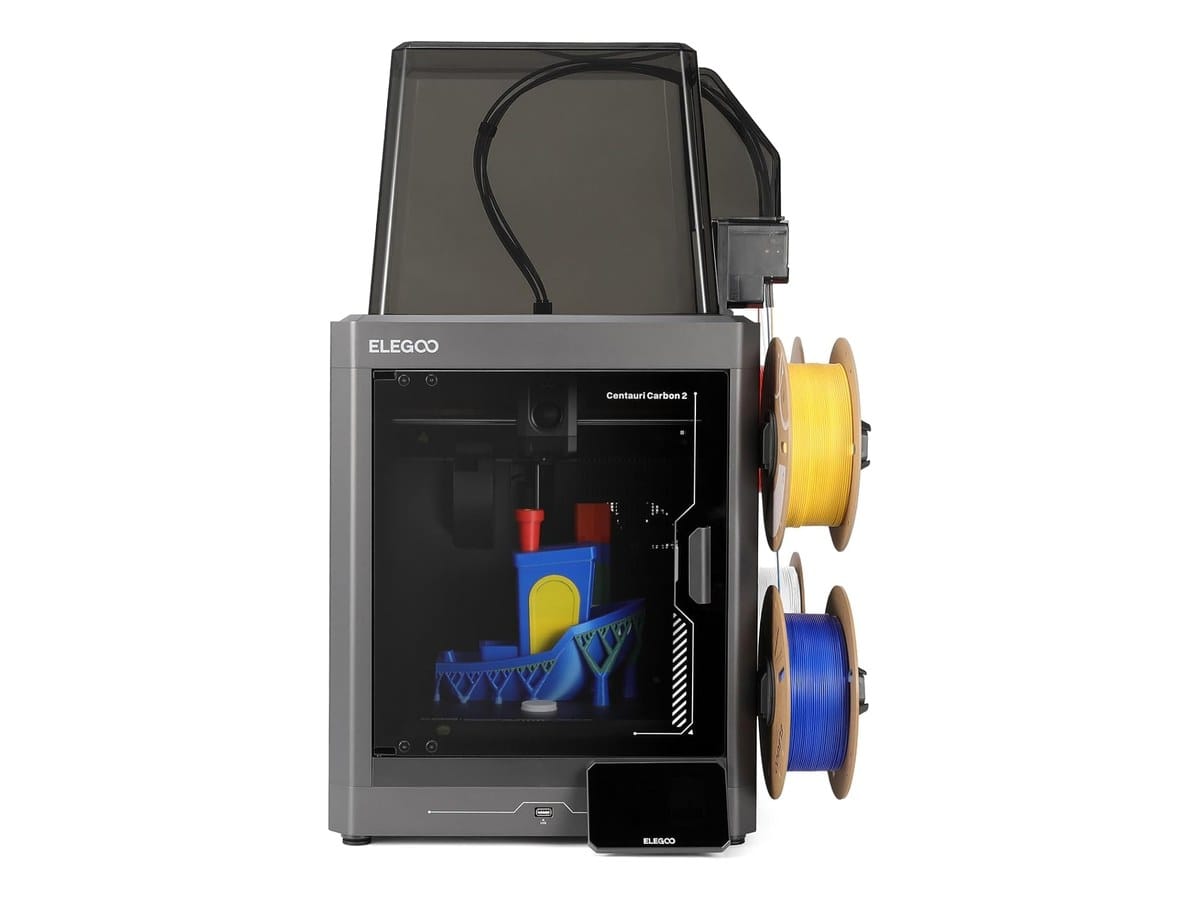
The Elegoo Centauri Carbon 2 Combo at $399.99 does something awkward to the rest of this list: it matches the X2D's 256mm build volume, beats its nozzle temperature at 350°C, ships with four-colour CANVAS, and comes fully enclosed, for $500 less.
What you give up is real but narrow. There is no active chamber heating, only a passive enclosure. The 500mm/s ceiling is half the X2D's, though in practice figure printing rarely runs anywhere near either number, since detailed models are limited by cooling and cornering rather than raw speed. And Elegoo's slicer and ecosystem are years behind Bambu's, which means more evenings tuning profiles.
For someone printing coloured anime figures who does not want to spend $900, this is the machine. The 350°C nozzle is the quiet detail that makes it last, because it means the printer will not be the reason you cannot try something harder later.
Flashforge AD5X — the cheapest honest entry
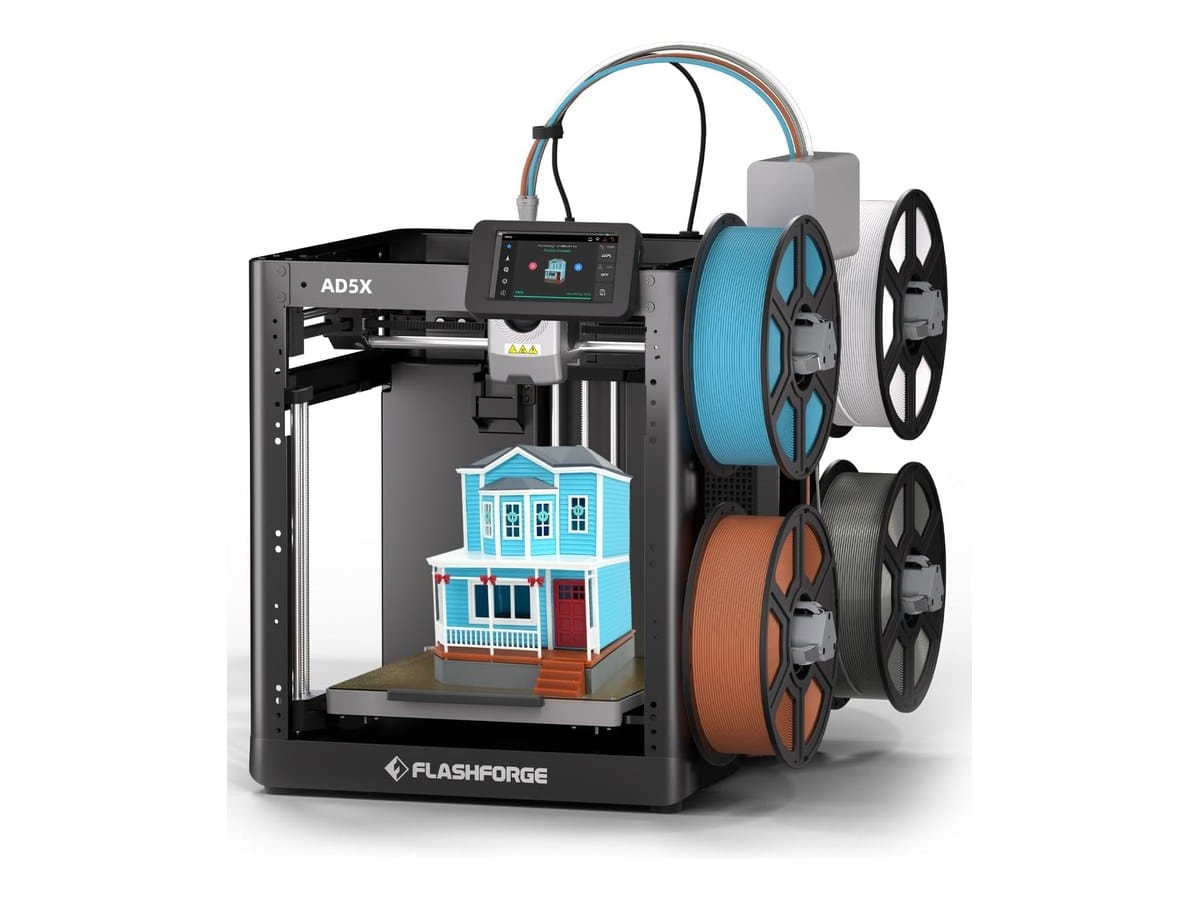
At $349 the Flashforge AD5X is the lowest price of entry to four colours, and its IFS unit is built into the printer rather than bolted on as an external feeder box, which is a tidier design than most.
Be clear-eyed about the trade. It is open-frame, and Flashforge sells the enclosure as a separate kit. Its published maximum print speed is 300mm/s, the slowest here and well under the 600mm/s figure that appears in some retail listings. The 220mm cube is the smallest build volume on this page.
For PLA figures on a warm indoor bench, none of that will hurt you, and PLA is what most figure printing uses. Buy this if your goal is specifically colourful desk-scale figures and you would rather put the savings into filament.
Join the Geeky Inc community →
Anycubic Kobra S1 Combo — the humidity fix
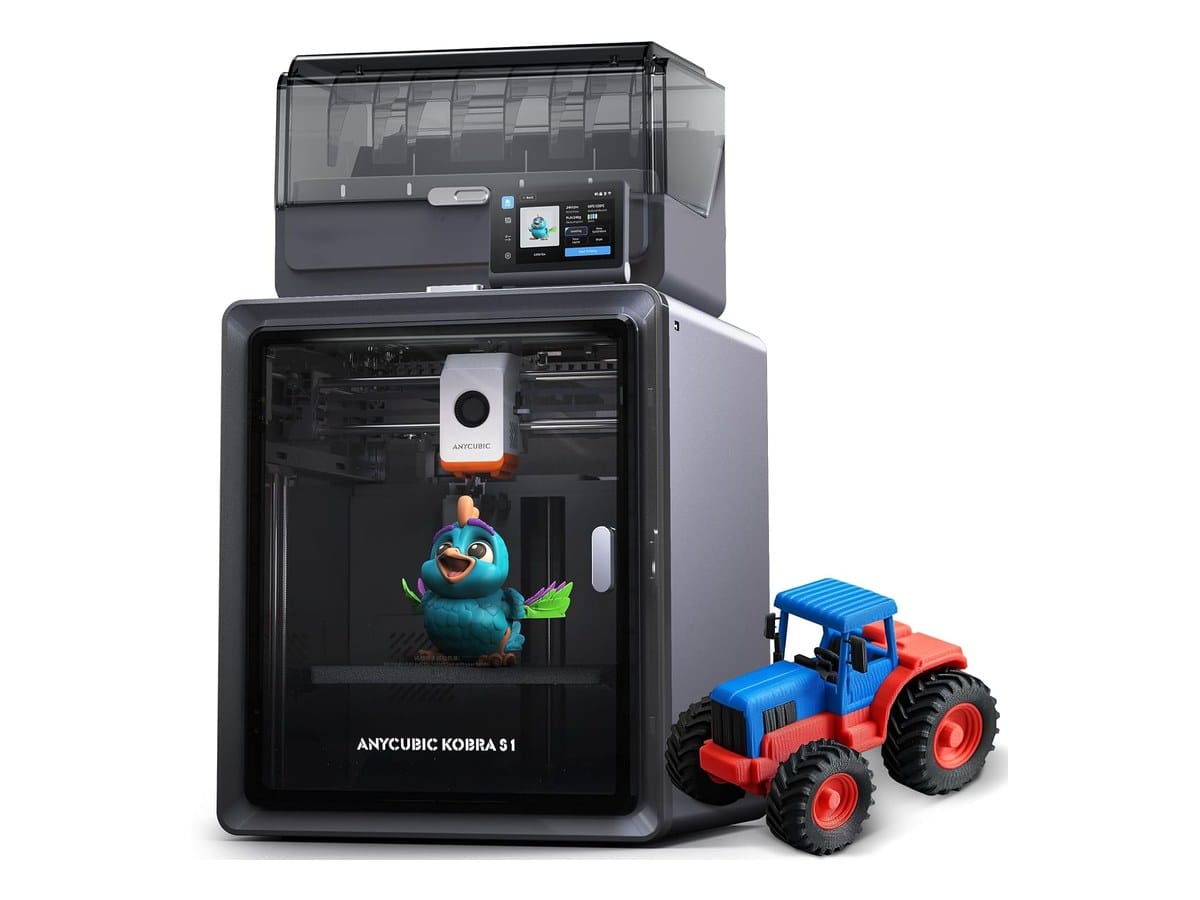
The Anycubic Kobra S1 Combo at $649.99 is a fully enclosed CoreXY with a 320°C hotend, a 250mm cube, 600mm/s and the ACE Pro four-colour unit, plus a built-in camera.
Its real differentiator is active filament drying while printing. That is not marketing filler. Damp filament is the single most common cause of the stringing and pitted surfaces that wreck a figure's face, and a spool left out over a humid week will absolutely do it. Drying inline removes an entire category of failed print, and anyone who has pulled a fuzzy-looking figure off a bed knows the specific frustration.
The honest problem is price position. At $649.99 you are $250 from an X2D combo and $250 above the Elegoo, and it does not clearly beat either. Buy it if you live somewhere humid, where the drying is worth exactly that premium.
Snapmaker U1 — the one that changes the maths
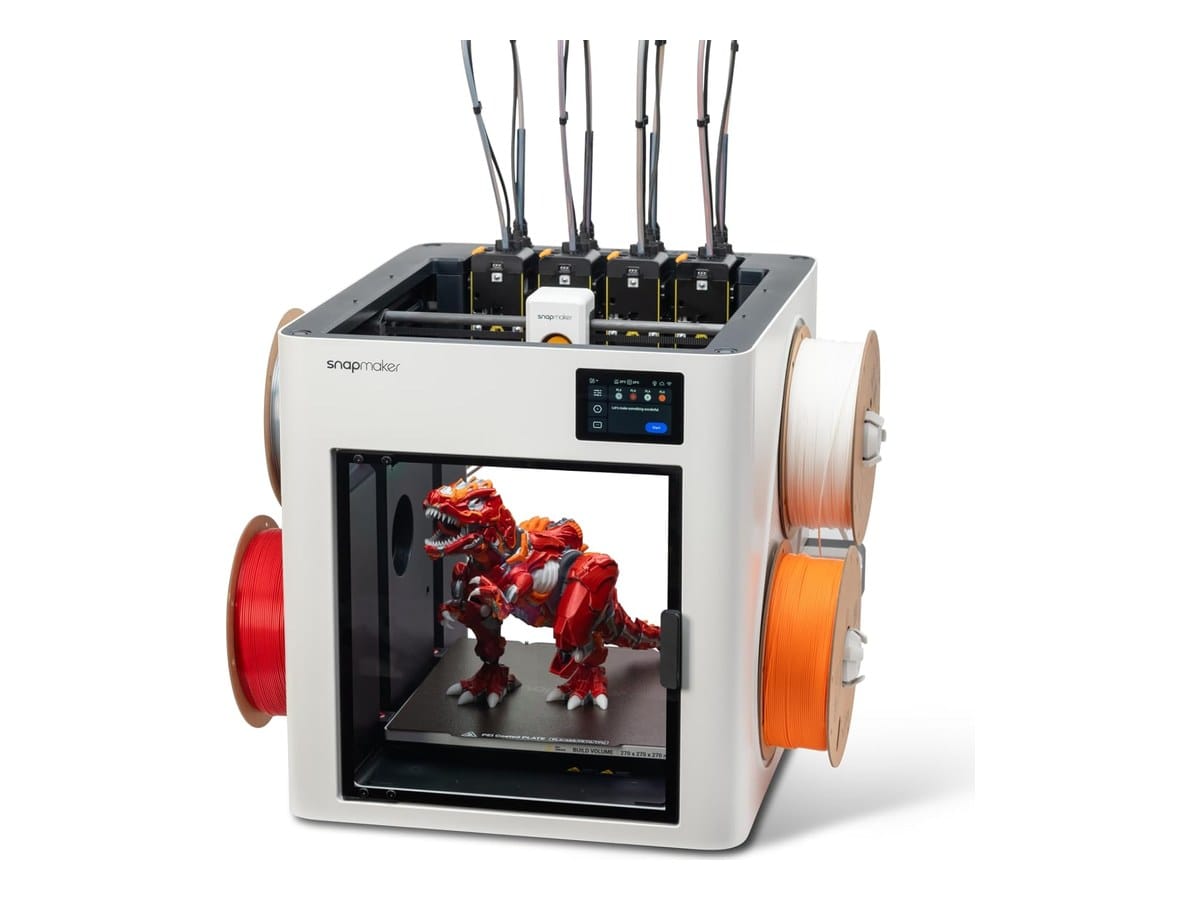
The Snapmaker U1 at $849 is the only toolchanger here: four independent toolheads on a 270mm cube, swapping in five seconds, with each colour keeping its own nozzle. Return to the purge problem and its whole argument follows. Snapmaker's claim of up to 85% less waste is a direct consequence of the architecture, not a tuning trick. Buy it direct from Snapmaker or on Amazon. I run two next to my X2D, and I compared them head-to-head in Snapmaker U1 vs Bambu X2D.
Run it against your own habits rather than ours. If you print multicolour figures most weeks, the filament you stop throwing away is a recurring saving that compounds for as long as you own the machine. If you print one figure a month, it will not repay the premium and the Elegoo is the smarter buy.
Two caveats worth knowing before you commit. It is open by default, with the top cover sold separately, so out of the box it is less suited to warp-prone materials than the enclosed machines here. And at 300°C the nozzle sits at the bottom of this group, so it is not the one to buy if exotic materials are on your roadmap.
I run two U1s alongside my X2D. Watch me compare the U1 against my X2D on TikTok →
QIDI Plus 4 — the honest outlier
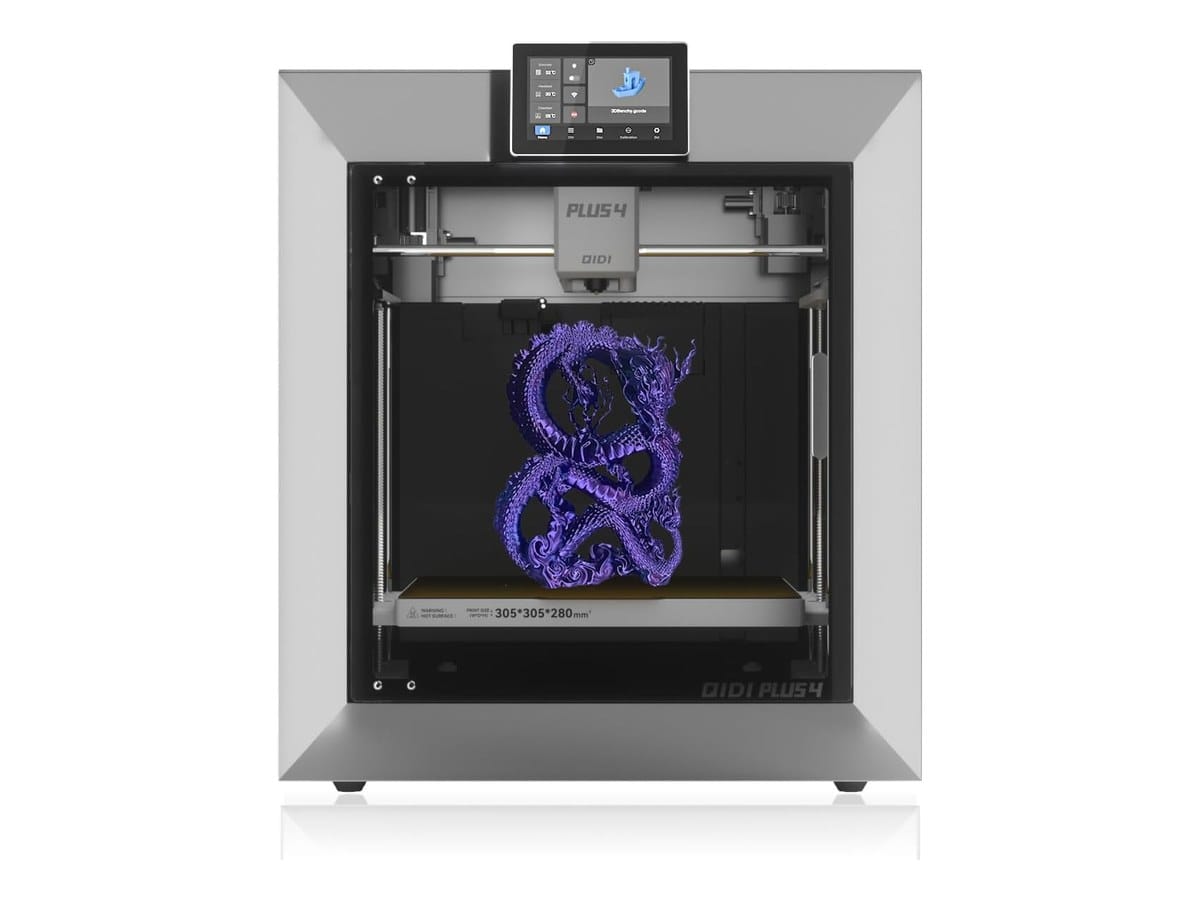
The QIDI Plus 4 at $649 prints one colour, and it is on this list deliberately. A lot of people shopping multicolour machines are not really chasing colour. They want to print a sword, prime it, and airbrush it properly, which is how most display-grade pieces are finished anyway.
If that is you, the QIDI is the better machine and it is not close. A 65°C actively heated chamber, a 370°C nozzle and a 305 x 305 x 280mm bed put it in a different category for large or high-temperature work. Its heated chamber is what keeps a big ABS or ASA part from cracking hours into a print, and paying for four-colour hardware you will never switch on is the most common way to waste money in this category.
The verdict
Best overall for anime figures: the Elegoo Centauri Carbon 2 Combo at $399.99. Enclosed, four colours, the highest nozzle temperature of the sub-$500 group, and half the price of the machine it competes with. This is the default answer.
Lowest cost of entry: the Flashforge AD5X at $349, provided you accept an open frame, 300mm/s and PLA as your main material.
Heaviest multicolour use: the Snapmaker U1 at $849. The only machine that fixes purge rather than managing it, and the savings compound.
Humid climate: the Anycubic Kobra S1 Combo at $649.99, for the inline drying.
Big or painted pieces: the QIDI Plus 4 at $649. Do not pay for colour you will not use.
Best software experience, if you can get one: the Bambu X2D at $899. The ecosystem is genuinely ahead and resale holds. Just go in knowing the auxiliary nozzle is its weakest link for the multicolour work you are buying it for.
What none of these machines fix
A closing reality check, because it will save you more money than picking correctly off this list.
The printer is rarely why a figure looks bad. Model quality, support placement and slicer settings decide far more of the outcome, and a well-tuned $349 machine will out-print a badly configured $900 one every time. Our guide to printing anime and action figures covers the settings that matter, and most of it transfers to any CoreXY machine here.
It is also worth reading how multi-material systems handle colour changes before you commit, because plenty of people buy a four-colour combo, meet the purge problem in person, and quietly go back to printing in one colour and painting.
Prices move frequently on these brands. Confirm before you buy.
New build guides, print settings and model picks, straight to your inbox. Join the Geeky Inc community →
Geeky Inc Minis
Tiny dragons, kitsune and golems for your shelf.
Multi-color 3D-printed minis, printed, finished and shipped by us. $2.50 each, or 12 for $23.
Browse the minis →


Member discussion