


Quick verdict — X2D vs H2D: Get the X2D ($649) if speed, value and proven reliability top your list (it is the X1C successor); get the H2D ($1,749) if you want true dual-nozzle (IDEX) flexibility for soluble supports and engineering filaments. The H2C ($2,399) is the top of the range, not the budget option — pick it only if 4–7 color printing is your actual bottleneck. Full breakdown below.
Prices verified against Bambu Lab’s US store on September 23, 2026. Bambu runs frequent promotions — check the current figure before buying.
If you've been keeping an eye on the Bambu Lab (sometimes written "bambulab") lineup in 2026, things just got genuinely complicated — in the best way. Three major multi-material machines in 12 months: the H2D (launched March 2025), the H2C (January 2026), and the X2D (launched April 14, 2026). Each one takes a different philosophy to multi-material printing, and picking the wrong one for your use case is an expensive mistake.
This is a breakdown for makers, collectors, and anyone printing articulated figures, gaming props, or anime collectibles — not industrial users. Here's what actually matters for our niche.
| Spec | H2D | H2C | X2D |
|---|---|---|---|
| Price (base) | $1,749 | $2,399 | $649 |
| Multi-material | Dual nozzle (2 colors) | Vortek 7-hotend (7 colors) | Dual extruder + AMS2 (up to 25 colors) |
| Build volume | 350 × 320 × 325 mm | 350 × 320 × 325 mm | 256 × 256 × 260 mm |
| Heated chamber | 65°C | 65°C | 65°C |
| Max nozzle temp | 350°C | ~300°C | 300°C |
| Best for | Soluble supports, engineering filaments | 4–7 color anime & figure printing | Best value; P1S upgrade path |
| Optional laser | 10W or 40W | 40W | None |
| Verdict | Engineering + display pieces | Commercial multi-color production | Best value for most makers |
Bambu Lab H2D: The Dual-Nozzle Workhorse
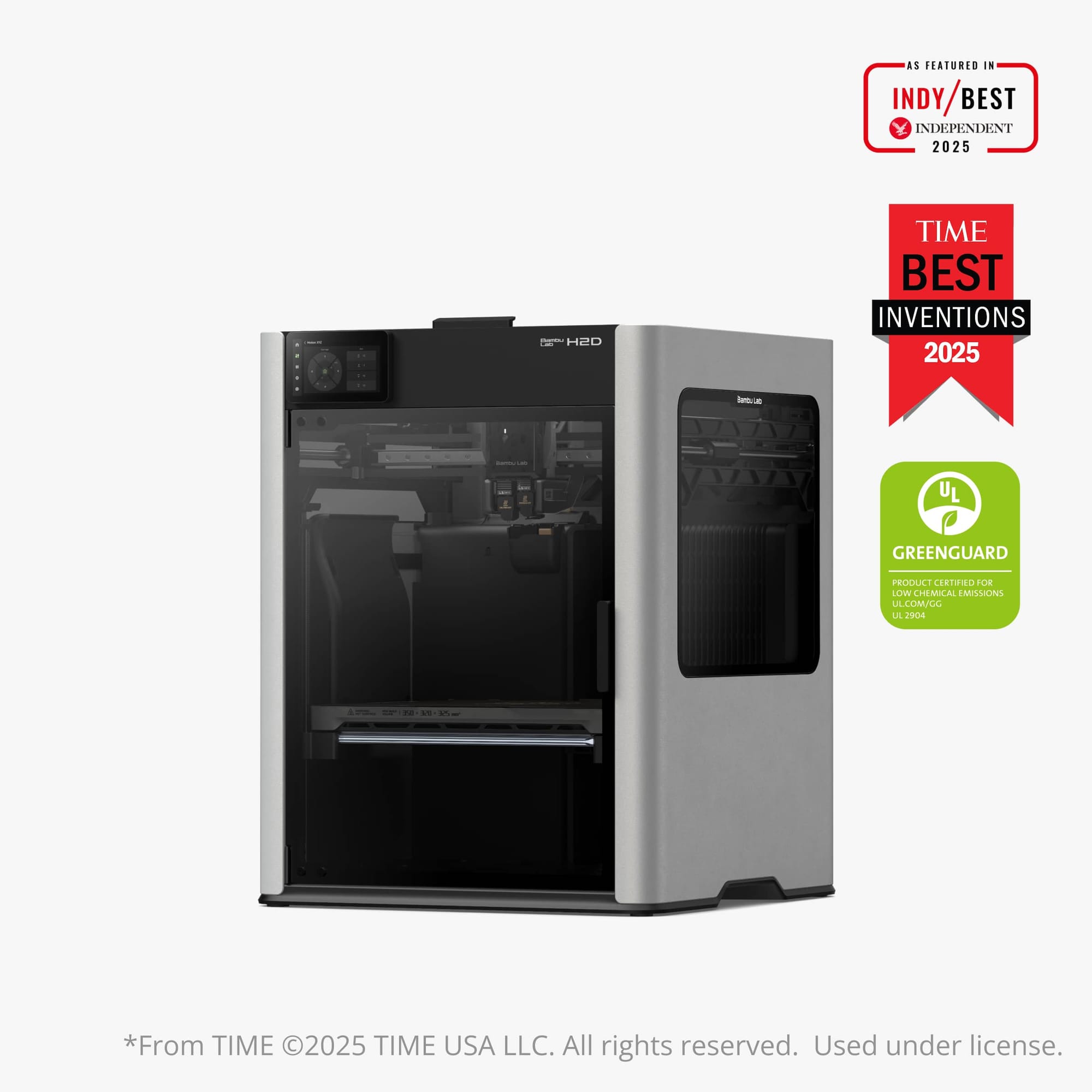
The H2D is Bambu's large-format dual-nozzle machine, launched March 2025. It's not a traditional multi-material system — instead of switching filaments via AMS, it runs two independent nozzles simultaneously. Think of it as a true dual-extruder printer in the classic sense, but with Bambu's speed and engineering behind it.
Key specs:
- Build volume: 350 × 320 × 325 mm (only the H2S, below, holds more)
- Dual nozzle: independent extrusion, great for soluble supports
- Heated chamber: 65°C
- Max hotend temp: 350°C (handles carbon fiber, glass fiber)
- Speed: 1,000 mm/s toolhead, 20,000 mm/s² acceleration
- Optional laser: 10W or 40W engraving/cutting
- Price: $1,749 (list $1,999); higher with the 10W/40W laser combos
Best for: Large prints with soluble supports, engineering-grade materials, dual-color prints where both colors run simultaneously rather than switching. The H2D is not designed for 4+ color anime figures — that's not what dual nozzles do. Where it shines is printing articulated figures with PVA support material that dissolves cleanly, or two-tone models with zero purge waste.
For Geeky Inc / collector use: The large build volume is excellent for printing oversized display pieces or batch-printing a full plate of minis in one run. The 65°C heated chamber means fewer warp failures on larger articulated models.
Where to buy the H2D: direct from Bambu Lab — currently from $1,549, against a typical price of $1,749. The H2D is not sold on Amazon, but two legitimate routes exist: Bambu direct, or MatterHackers, an authorized Bambu reseller, which stocks the H2D from $1,749. What to avoid is an unfamiliar marketplace seller — those listings are resellers or accessories.
Building a 3D printing workshop? Subscribe to Geeky Inc for printer comparisons, anime and gaming STL drops, and pro tips delivered weekly.
Bambu Lab H2C: The Vortek Multi-Material Machine
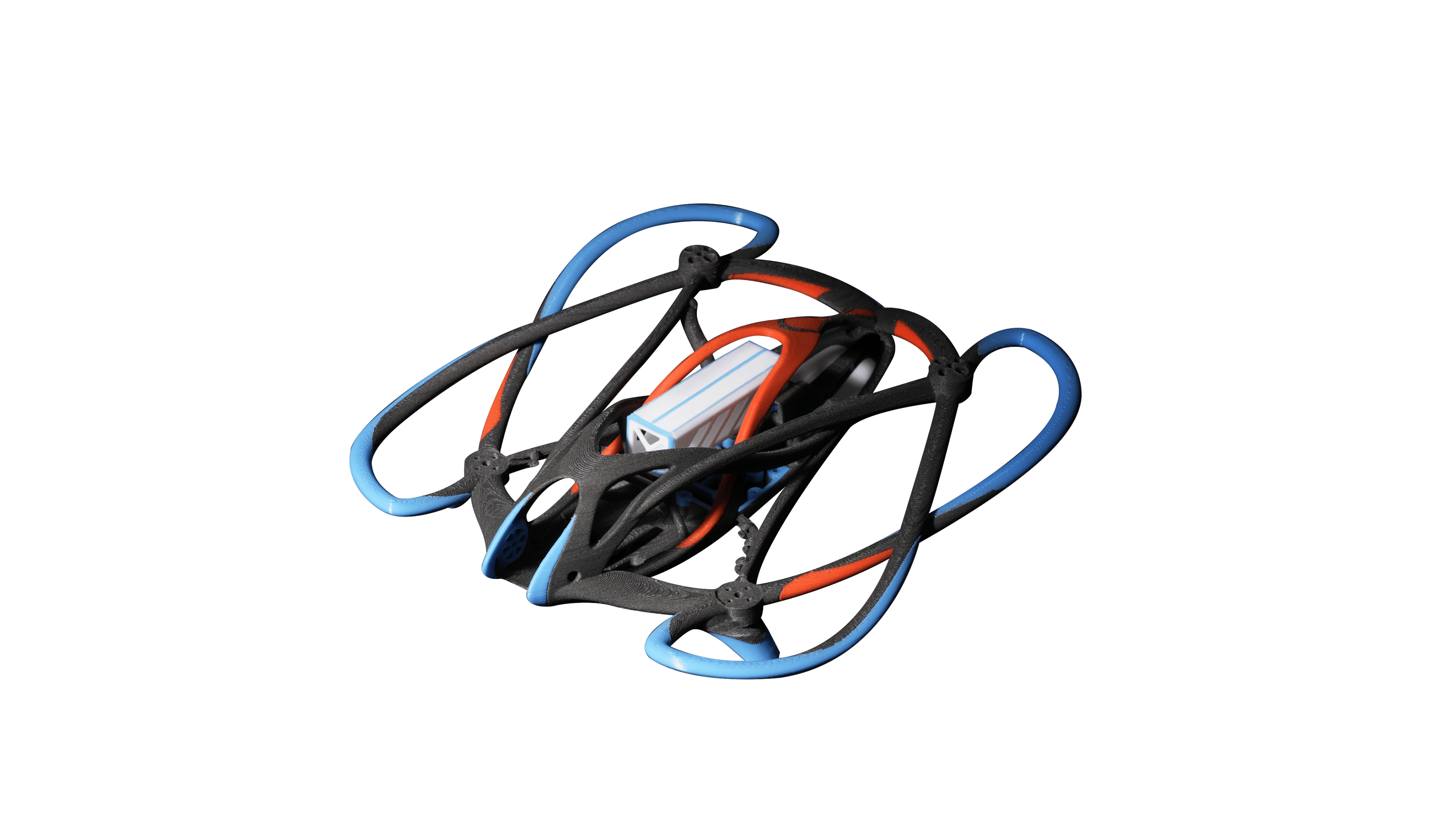
The H2C, launched January 2026, is the most technically interesting machine Bambu has ever built. Instead of pushing filament through a single nozzle and purging between colors, it physically swaps hotends — up to 7 independent hotends via the Vortek system. Each hotend heats up via induction in ~8 seconds, and the printer picks the right one for each color segment.
Key specs:
- Multi-material: up to 7 colors/materials via Vortek hotend-switching
- Purge waste reduction: 58% less than traditional AMS single-nozzle systems
- Same frame as H2D: large build volume
- Compatible with AMS 2 Pro for extended filament management
- Optional 40W laser
- Price: $2,399 (Vortek combo)
The Vortek difference: Traditional AMS on the P1S or X1C pushes a new filament through the same nozzle and purges the old color into a waste tower. Every single color swap = a chunk of wasted filament. On a complex 4-color figure that does 400 swaps per print, that waste adds up fast. Vortek eliminates this by having a dedicated hotend per color — the "new" nozzle is already loaded and hot, so purging is minimal.
For Geeky Inc / collector use: This is the printer for serious multi-color anime and gaming figure printing. A 6-color character model (skin tone, hair, eyes, outfit, accessories, detail lines) is exactly what the H2C was designed for. The reduced waste makes high-color-count prints economically viable in a way the AMS never quite was.
Where to buy the H2C: direct from Bambu Lab — currently from $2,199, against a typical price of $2,399. Like the H2D, it isn't carried on Amazon — but MatterHackers lists the H2C AMS Combo new at $2,199.
Bambu Lab X2D: The X1C Successor
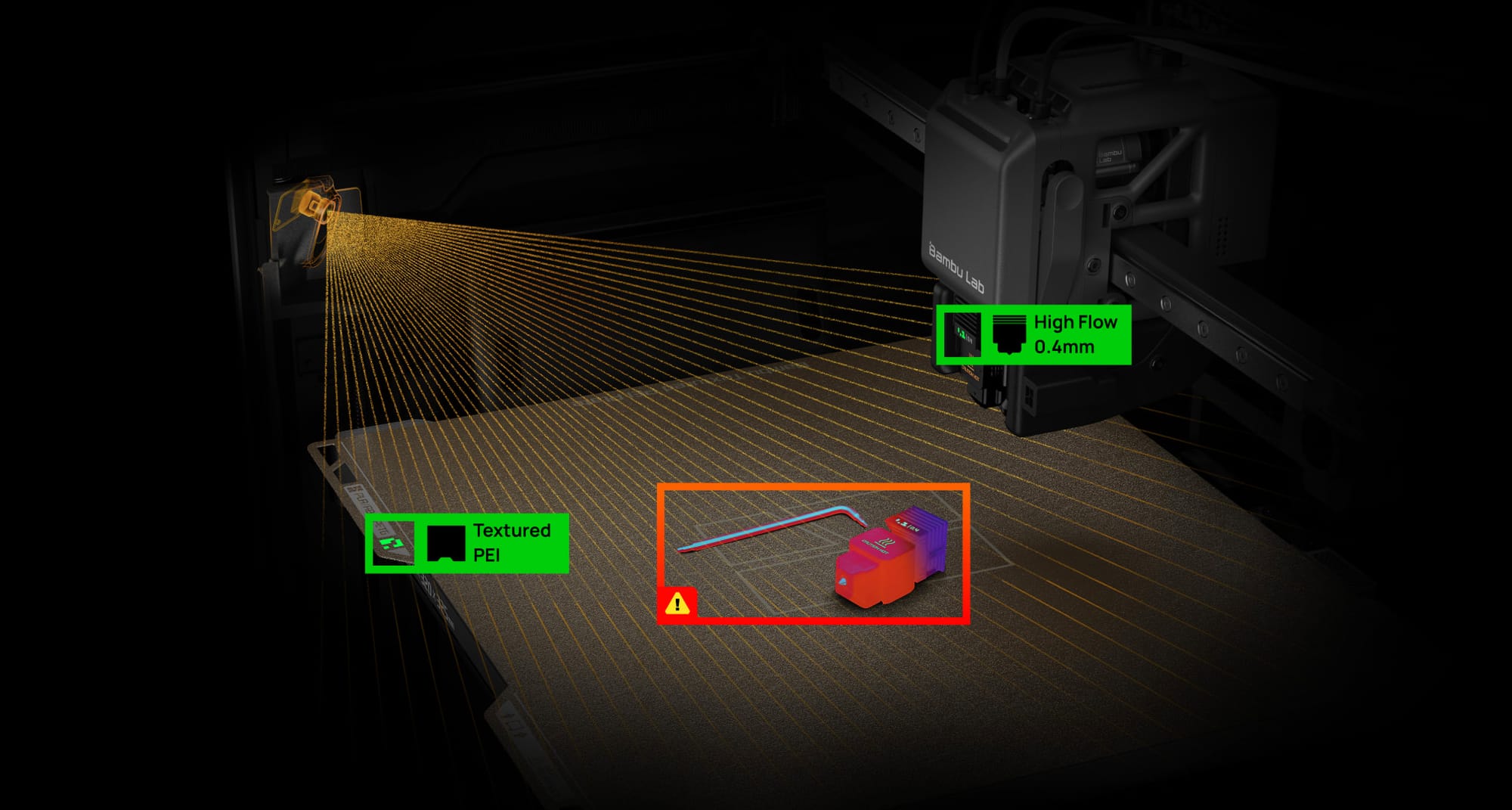
The X2D launched April 14, 2026 as the direct successor to the X1 Carbon — and the pricing blew every pre-launch leak out of the water.
Key specs:
- Build volume: 256 × 256 × 260 mm
- Dual extruder: one direct-drive (up to 1,000 mm/s), one bowden auxiliary (up to 200 mm/s)
- Heated chamber: 65°C active
- Nozzle temp: 300°C max
- Motion: stainless steel linear rails (upgrade from X1C's carbon-fiber rods)
- AMS: compatible with new AMS2 Pro — up to 25-color printing at max configuration
- LiDAR + BirdsEye top-down camera included
- Noise: below 50 dB
- Price: $649 base / $899 Combo (with AMS2 Pro)
At $649, the X2D costs less than the X1C Combo did while adding dual extrusion, a heated chamber, and linear rails. It's the most aggressive price-to-spec ratio in Bambu's entire lineup.
For Geeky Inc / collector use: The X2D is the P1S owner's upgrade path. If you're already in the Bambu ecosystem, the X2D adds dual-extruder flexibility (real soluble supports, two-material prints without nozzle swap) while keeping the compact form factor. Dedicate one nozzle to support material and one to model material — eliminating support scarring on detailed figures. Pair with AMS2 Pro for multi-color figure printing. For our full X2D breakdown, see Bambu Lab X2D: Full Specs, Pricing, and What You Need to Know.
Where to buy the X2D: direct from Bambu Lab — from $649 for the base model, with Combo bundles adding the AMS 2 Pro. Not an Amazon product — but alongside Bambu direct, MatterHackers carries the X2D AMS Combo new at $899.
Bambu Lab H2S: The Big Single-Nozzle Option
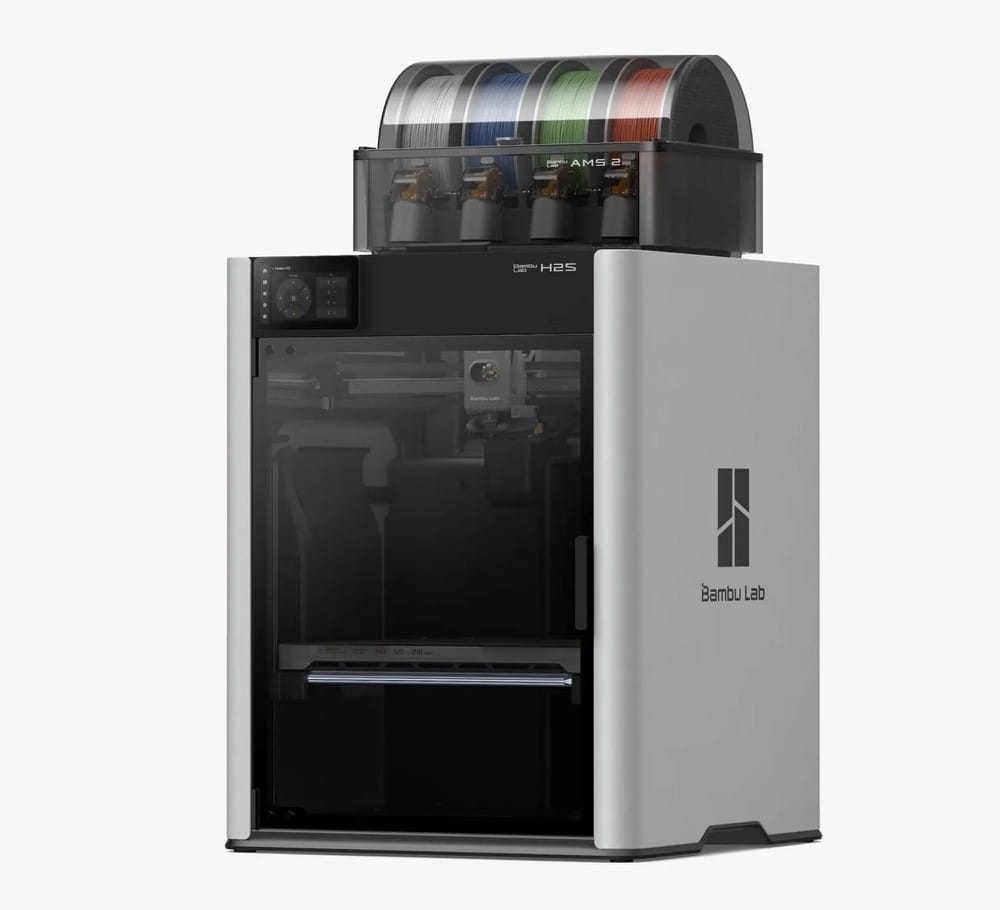
Readers keep asking us about the H2S, and until now this comparison left it out. It sits in the same big enclosed frame as the H2D and H2C but carries one nozzle instead of two. You're mostly paying for size. At 340 × 320 × 340 mm it has the largest print volume Bambu sells, and it's also the cheapest way to get an H2 frame on your bench.
Key specs:
- Build volume: 340 × 320 × 340 mm (15 mm taller than the H2D)
- Single nozzle, up to 350°C, driven by a closed-loop servo extruder
- Heated chamber: 65°C active
- Multi-color: through the AMS, with a purge on every color swap
- Optional 10W laser and cutting module
- Price: $1,199 (list $1,249); AMS Combo $1,399; Laser Full Combo $1,799
H2S vs H2D
If you're shopping the H2 line, this is probably the choice you're actually stuck on. The H2S has no second nozzle. That rules out printing dissolvable supports next to your main material, and you can't mix two materials in one part either. What you get back is a little extra height and about $350 at today's prices ($1,199 against $1,549). If your prints are mostly big single-material pieces (helmets and armor plates, maybe a prop weapon), you'd be paying for a nozzle that sits idle. Articulated figures with soluble supports are another story. For those, that second nozzle is the reason to buy an H2D at all.
H2S vs H2C
These two don't really compete. Vortek is why the H2C exists: it holds up to seven hotends, so changing colors doesn't mean flushing filament through the nozzle. The H2S handles color the older way. It feeds from the AMS and purges some filament at each swap. Print a four- to seven-color figure and the H2C comes out ahead on filament and time every run. If most of your work is one- or two-color, though, you'd be spending about $1,000 extra on something you'd hardly use.
H2S vs X2D
For most figure makers the X2D at $649 is the better buy. It's a fast two-extruder machine that fits on a desk. Where it falls short is build size. The 256 mm bed is plenty for 1/6-scale figures, but a full-size cosplay helmet usually gets printed in sections and glued together. On the H2S that helmet comes off the plate in one piece. So if part size is what's limiting you, get the H2S. Otherwise the X2D makes more sense.
Where to buy the H2S: direct from Bambu Lab from $1,199 (list $1,249), or $1,399 for the AMS Combo. MatterHackers sells the H2S Combo as its Basics Bundle at $1,499.
Bambu H2D vs H2C: Head-to-Head Comparison
If you've already ruled out the X2D — too small, or you need more multi-color capacity — the real call is H2D vs H2C. They share the same frame and build envelope, but solve completely different problems. Picking wrong here is a $650+ mistake.
| Feature | H2D | H2C |
|---|---|---|
| Multi-material approach | 2 independent nozzles | Up to 7 hotends (Vortek) |
| Best color count | 1–2 colors / soluble support | 4–7 colors |
| Build volume | 350 × 320 × 325 mm | 350 × 320 × 325 mm |
| Max nozzle temp | 350°C (carbon / glass fiber) | Standard Bambu range |
| Heated chamber | 65°C | 65°C |
| Purge waste vs AMS | Near zero (independent nozzles) | ~58% less than traditional AMS |
| Optional laser | 10W or 40W | 40W |
| Starting price | $1,749 | $2,399 |
| Best workflow | Engineering parts, soluble supports, two-tone display pieces | Multi-color anime and gaming figures |
Where the H2D wins: If your output is articulated figures, gaming props, or large display pieces using soluble support material, the H2D's two independent nozzles are unbeatable. One nozzle prints the model, the other prints PVA support. The result is detailed undercuts and overhangs with zero support scarring after dissolving — perfect for display-ready collectibles. Same applies to engineering-grade prints with carbon-fiber or glass-fiber filament — the 350°C nozzle ceiling handles materials the H2C can't.
Where the H2C wins: The moment you need 4+ colors, Vortek pulls ahead by a wide margin. A traditional AMS purges between every color swap; on a complex anime figure with 6 colors and 400+ swaps per print, that's hundreds of grams of wasted filament. Vortek eliminates that overhead. For commercial-tier multi-color production — small-run figures, multi-color cosplay props, lore-heavy character models — the H2C is the only practical choice in the bambulab lineup.
H2C vs H2D: Which Should You Buy?
Short version: If you print mostly single or two-color models with detailed supports, buy the H2D. The dual-nozzle setup, larger material range from carbon-filament compatibility, and lower starting price ($1,749) make it the safer pick for most makers and collectors.
If you're producing multi-color anime, gaming, or character figures and color count is your bottleneck, buy the H2C. The ~$650 premium is recouped in filament savings within a few hundred prints, and the visual ceiling on what you can produce is dramatically higher. For multi-color minis and character figures, this is the machine.
Which One Should You Buy?
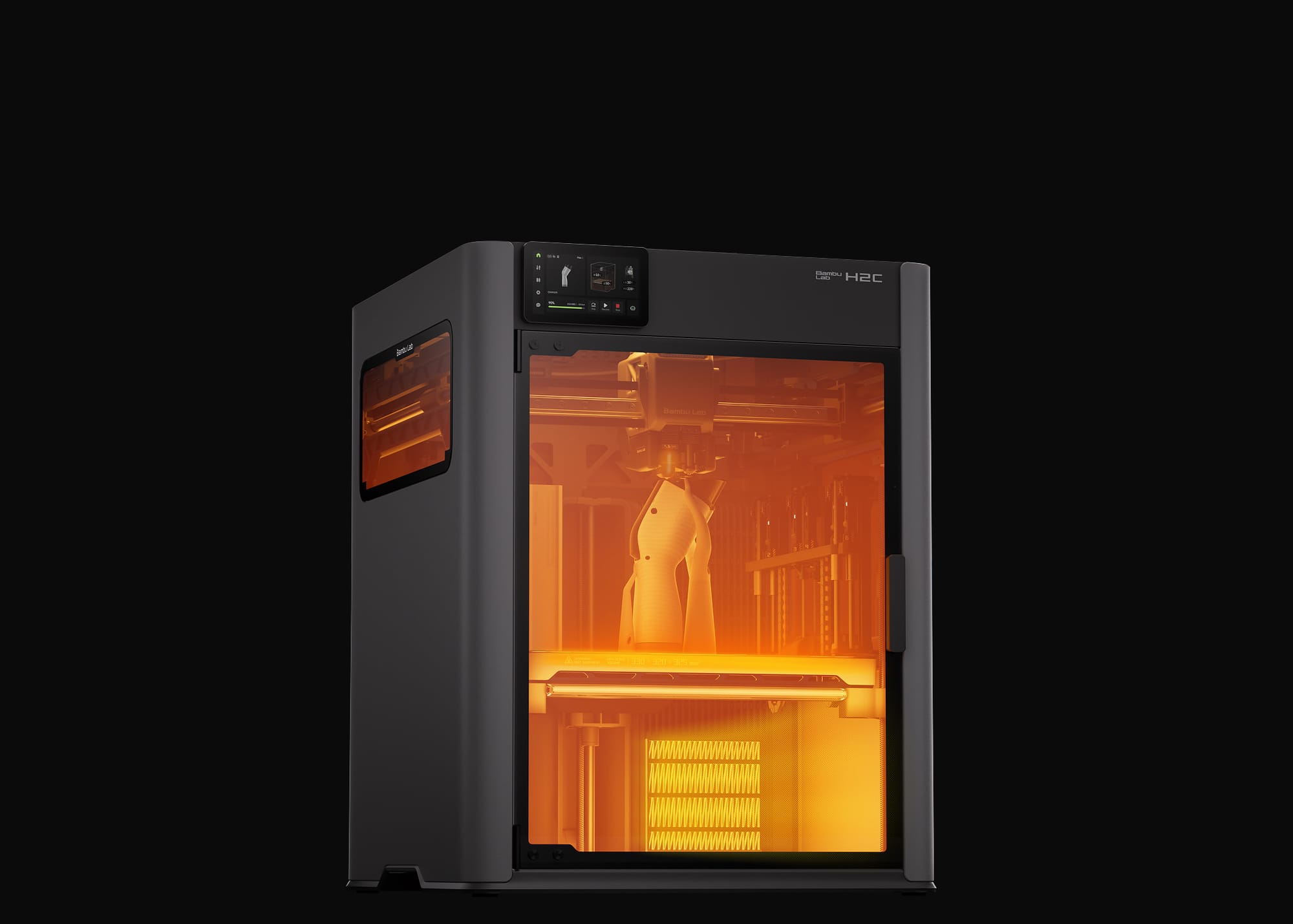
The honest take: if you're printing articulated collectibles at the P1S level (which we do here at Geeky Inc), the X2D Combo at $899 is now the obvious upgrade — dual extrusion, heated chamber, and AMS2 Pro for less than the X1C used to cost. The H2C is for creators doing commercial-level multi-color production — think 50+ prints a week with 6+ colors. For the hobbyist/small-batch creator, the X2D hits the sweet spot.
Ready to upgrade? Compare current prices at the Bambu store: H2D • H2C • X2D • H2S or at MatterHackers: H2D • H2C • X2D • H2S.
That said, the Vortek technology in the H2C is the direction the whole industry is heading. Watch the X3-series announcement later this year — Vortek will trickle down.
Want purge-free multi-colour without paying for an H2C? The Snapmaker U1 (≈$849) gives every colour its own toolhead instead of a purge tower. It's a different trade-off from Bambu — more on it below.
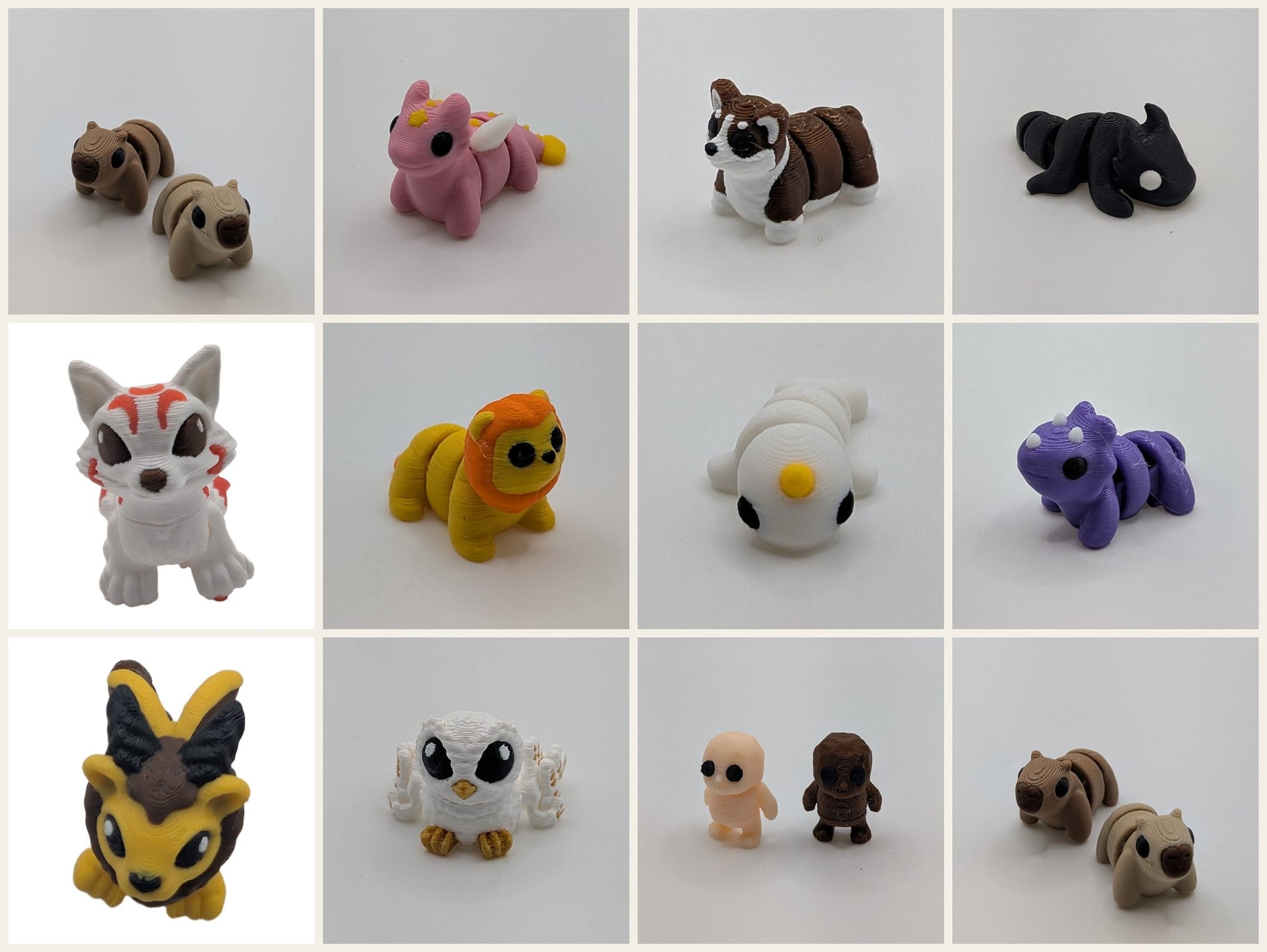
Not ready for a printer yet? Start the shelf anyway. We print, finish and ship tiny multi-color creature minis (dragons, kitsune, golems and more) for $2.50 each. Grab a 5-pack for $10, the 12-pack for $23, or the 25-pack for $47, which ships free in the US.
Where to actually buy these (and what Bambu sells on Amazon)
Worth knowing before you go price-hunting: none of these three machines is sold on Amazon. Every "Bambu H2D on Amazon" result you'll turn up is an accessory, a third-party reseller, or an out-of-stock listing. The two routes worth trusting are Bambu's own store and MatterHackers, a US 3D-printing retailer that stocks all three:
| Printer | Bambu direct | MatterHackers |
|---|---|---|
| Bambu Lab X2D | from $649 — Bambu Lab store | $899 Combo — MatterHackers |
| Bambu Lab H2S | from $1,199 (list $1,249) — Bambu Lab store | $1,499 Combo — MatterHackers |
| Bambu Lab H2D | from $1,549 (typical $1,749) — Bambu Lab store | from $1,749 — MatterHackers |
| Bambu Lab H2C | from $2,199 — Bambu Lab store | $2,199 Combo — MatterHackers |
The Amazon-buyable Bambu lineup
What Bambu does stock on Amazon is the rest of the range. If you landed here comparing flagships but your real budget is under $800 — which, honestly, describes most people printing anime figures at home — these ship tomorrow with Prime returns instead of a direct-order lead time:
| Printer | Best for | Price |
|---|---|---|
| Bambu Lab A1 mini | Cheapest way in; chibi-scale figures and small props | ≈$249 |
| Bambu Lab A1 | Same easy workflow, bigger bed | ≈$300 |
| Bambu Lab P1S | Enclosed — PETG and ABS for weapons and cosplay props | ≈$399 |
| Bambu Lab A1 Combo (AMS lite) | 4-color figures with no painting | ≈$419 |
| Bambu Lab P2S | The P1S successor — faster, same footprint | ≈$569 |
| Bambu Lab P2S Combo (AMS 2 Pro) | The closest Amazon analogue to an X2D Combo | ≈$769 |
| Bambu AMS 2 Pro | Add multi-color to a Bambu printer you already own | ≈$319 |
How the Amazon range maps onto the flagships. If the X2D appealed to you for dual-material work, nothing on Amazon replicates it — that's a Bambu-store or MatterHackers buy. But if what actually drew you to the X2D Combo was multi-color figure printing at a sane price, the P2S Combo gets you there for ≈$769 with the same AMS 2 Pro. And if the H2C's appeal was purge-free colour, be honest about volume first: below roughly 50 prints a week, an AMS-equipped P2S Combo at about a third of the price prints the same figures, just with a purge tower.
Prices checked September 23, 2026 and Bambu runs frequent sales — treat them as a bracket, not a quote.
Accessories: the part you can actually buy today
The three flagships aren't on Amazon, but the consumables are — and they're cross-compatible across the range. Whether you're waiting on an X2D order or you just picked up a P2S Combo from the table above, these ship now:
| What | Why it matters | Price |
|---|---|---|
| Bambu PLA Basic, 1kg with RFID spool | The RFID tag is the part that matters — it's what lets the AMS read colour and material automatically instead of you assigning every slot by hand. Third-party filament prints fine; it just makes you do the bookkeeping on each reload. | ≈$31 |
| 257×257mm dual-sided PEI plate | Smooth on one face, textured on the other. Fits the 257×257 machines — X2D, P2S, P1S, P1P, X1C, X1E and A1. A second plate is the cheapest way to keep printing while the last piece cools off the first one. | ≈$20 |
Neither is glamorous, but if you're printing multi-colour figures you will burn through both faster than you expect — the purge tower alone eats a surprising share of every spool.
Want purge-free colour today? Look at the Snapmaker U1
The Vortek argument above is the right one: a dedicated hotend per colour means there's nothing to flush, so you stop throwing away filament on every swap. The problem is price. None of the three flagships is on Amazon, and the H2C starts at $2,199 whether you buy it from Bambu or MatterHackers.
The Snapmaker U1 gets at the same idea from the other direction — four independent toolheads on a 5-second changer, so each colour keeps its own hot nozzle and purge waste stays minimal. It's ≈$849 and in stock, well under half the H2C's price. Snapmaker sells it direct and ships to the US, Canada, the UK, Australia and much of Europe; it's also sold on Amazon.
It is not the better machine on paper. Bambu's ecosystem, slicer and support are ahead, and if you're already deep in AMS and Bambu Studio the P2S Combo above is the more sensible upgrade. But if what pulled you toward the H2C was specifically not wasting filament on 400 colour swaps, the U1 is the version of that you can order tonight rather than the version you wait for.
Frequently Asked Questions
Is the H2D better than the H2C?
Neither is "better" universally — they solve different problems. The bambulab H2D is the better pick if you print engineering-grade parts, two-tone models, or articulated figures with soluble supports. The H2C is the better pick if you print 4+ color anime, gaming, or character figures. The H2C costs about $650 more in its base Vortek combo, but pays back the difference in filament savings on heavy multi-color workflows.
Do I need an X2D if I have an H2D?
No, not for printing capability — the H2D's build volume, dual extruder, and chamber are all upgrades over the X2D. Where the X2D fits in is as a smaller secondary printer for prototyping, fast single-color iteration, or running a workshop with two simultaneously printing machines without the H2D's footprint. If you already own the H2D, skip the X2D unless you specifically want a P1S-class footprint for parallel printing.
What's the price difference between H2D and H2C?
The H2D starts at $1,749 (single-nozzle base; list price $1,999) and goes up with the 10W/40W laser combos. The H2C starts at $2,399 with the Vortek multi-material system. Add $200–400 for the AMS 2 Pro accessory depending on configuration. As of 2026, the H2C ships with the 7-hotend Vortek included — there's no current option to buy the H2C without it.
Is the X2D better than the H2D?
For most hobbyists and small-batch makers, the X2D at $649 offers better value than the H2D at $1,749. The X2D is more compact, cheaper, and pairs with AMS2 Pro for up to 25-color printing. The H2D wins on build volume, max material temperature (350°C vs 300°C), and dual independent nozzles that eliminate purge waste entirely. If budget allows and you print large-format or engineering-grade materials, the H2D is the more capable machine. For everyone else: X2D Combo at $899.
Which Bambu printer is best for anime figures?
For 4+ color anime figures, the H2C is the top choice — its Vortek 7-hotend system dramatically cuts filament waste on high-color-count prints. For 1–2 color articulated figures with complex supports, the H2D's independent dual nozzles and 350°C ceiling make it the better pick. For hobbyists who want the best all-around value, the X2D Combo ($899) with AMS2 Pro handles most figure printing at a fraction of the H2C's price. Not set on Bambu? Our best 3D printer for anime figures buyer's guide ranks resin printers for fine detail and the Snapmaker U1 for purge-free colour alongside the A1 and P1S.
H2C vs X2D: which should you buy?
They solve different problems. The X2D is the X1C successor — the pick when speed, proven reliability, and clean detail on figures and gaming props matter most; run multicolor through the AMS. The H2C is the H-series Vortek multi-material machine — choose it if you want the larger H-series build with up to 7-colour printing and can justify the premium over the H2D. For most Geeky Inc readers printing anime figures and props, the X2D is the better default; go H2C only if high-colour-count printing is the priority.
Geeky Inc uses Amazon, MatterHackers and Snapmaker affiliate links. If you buy through them, we earn a small commission at no extra cost to you — it helps support maker content and figure drops.
3D Printing Resources on Geeky Inc
- Best 3D Printer for Figurines, Anime & Action Figures (2026 Buyer's Guide)
- Best Articulated 3D Prints: Dragons, Creatures & Fidget Toys
- Best Anime STL Files for 3D Printing in 2026
- 10 Cool 3D Prints from a Video Game
As an Amazon Associate, Geeky Inc earns from qualifying purchases.
Into 3D printing + anime + gaming? We cover it all — and we're building actual printed collectibles you can buy. Join the Geeky Inc community →
Geeky Inc Minis
Tiny dragons, kitsune and golems for your shelf.
Multi-color 3D-printed minis, printed, finished and shipped by us. $2.50 each, or 12 for $23.
Browse the minis →


Member discussion