


Your kid wants to 3D print Pokémon, Minecraft swords, anime figures, and whatever else they saw on TikTok this week. Good news: the right 3D printer makes that genuinely easy — and safe — in 2026. Bad news: most "best 3D printer for kids" lists are written by people who've never watched a 9-year-old try to level a build plate.
Here are the actual best picks, ranked by age range, with honest tradeoffs for each. Every printer on this list uses PLA filament (safe, non-toxic, made from cornstarch), and every one can print the kinds of things kids actually care about: characters, toys, fidgets, and props from their favorite games and shows.
1. Toybox 3D Printer — Best for Ages 5–8
The Toybox is the Easy-Bake Oven of 3D printing. It's designed for young kids who want to press a button and get a toy — not tinker with slicer settings. The entire workflow lives on a tablet app: pick a design from the built-in library, tap print, and wait.
Key specs:
- Build volume: ~3 × 3 × 3 inches (small — single toy-sized prints)
- Setup: zero configuration, plug and play
- Safety: all-metal frame, rounded edges, minimal exposed parts
- Filament: proprietary "food" cartridges (PLA-based, compostable, fun color names like "Bubblegum" and "Lemon")
- App: parent-approved model library with thousands of designs
- Price: ~$229–$299 (starter bundle)
The good: Literally no learning curve. A 6-year-old can operate this independently after one supervised session. The model library is curated and kid-safe. Prints come out reliably because the printer is locked to one filament type and one layer height.
The tradeoff: Tiny build volume (nothing bigger than a tennis ball), proprietary filament (more expensive per gram than standard PLA), and a subscription model for premium designs. Your kid will outgrow this in 1–2 years if they get serious about printing.
Best for: Young kids who want instant gratification. Great first exposure to 3D printing as a concept. Not great for kids who want to print anime figures or gaming props at any reasonable scale.
2. Bambu Lab A1 Mini — Best for Ages 10–13
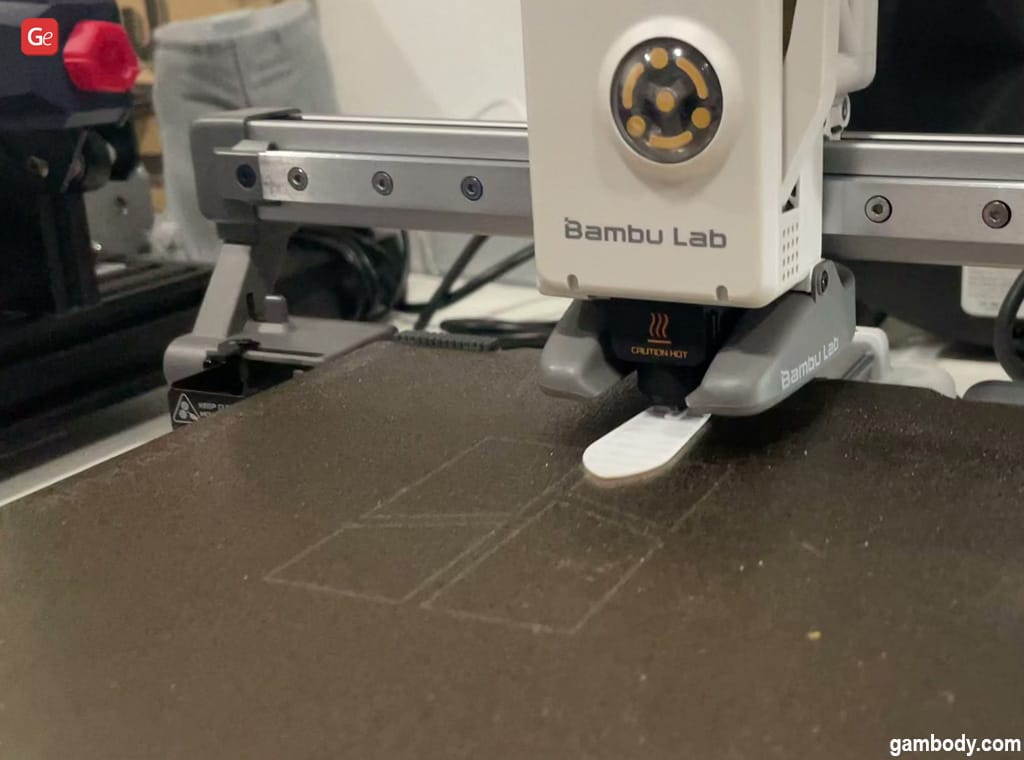
The A1 Mini is the printer that makes the Toybox obsolete for any kid old enough to follow basic instructions. It's a real FDM printer with real capabilities — 180 × 180 × 180mm build volume, 500mm/s print speed, full auto-calibration — but it's simple enough that a 10-year-old can run it after a parent does the initial 15-minute setup.
Key specs:
- Build volume: 180 × 180 × 180mm
- Speed: up to 500mm/s
- Auto-calibration: full auto bed leveling, vibration compensation, flow calibration
- Filament: standard 1.75mm PLA, PETG, TPU (open ecosystem — use any brand)
- Noise: 49dB (quiet enough for a bedroom)
- AMS Lite compatible: add 4-color multi-material printing ($100 add-on)
- Price: $199 (base) / $299 (with AMS Lite combo)
Why it's the sweet spot for kids: Auto-calibration means no fiddling with the bed. Bambu Studio (the slicer software) has a simple mode that hides advanced settings. MakerWorld has thousands of free models including Pokémon, Minecraft, anime characters, and gaming props — all pre-configured for Bambu printers. Your kid downloads a .3MF, hits print, and gets a finished figure in 1–2 hours.
The AMS Lite upgrade: For $100 more, your kid can print in 4 colors without painting. A Pikachu in yellow, brown, red, and black that comes off the printer looking finished? That's the kind of thing that turns a casual interest into a real hobby.
Safety note: The A1 Mini is an open-frame printer (no enclosure). The nozzle gets very hot (up to 300°C). Kids under 10 should be supervised. For 10–13, teach them the "hot parts don't touch" rule and they'll be fine — the printer auto-homes and parks the nozzle away from the build area when done.
3. Bambu Lab P1S — Best for Ages 13+ (Teens)
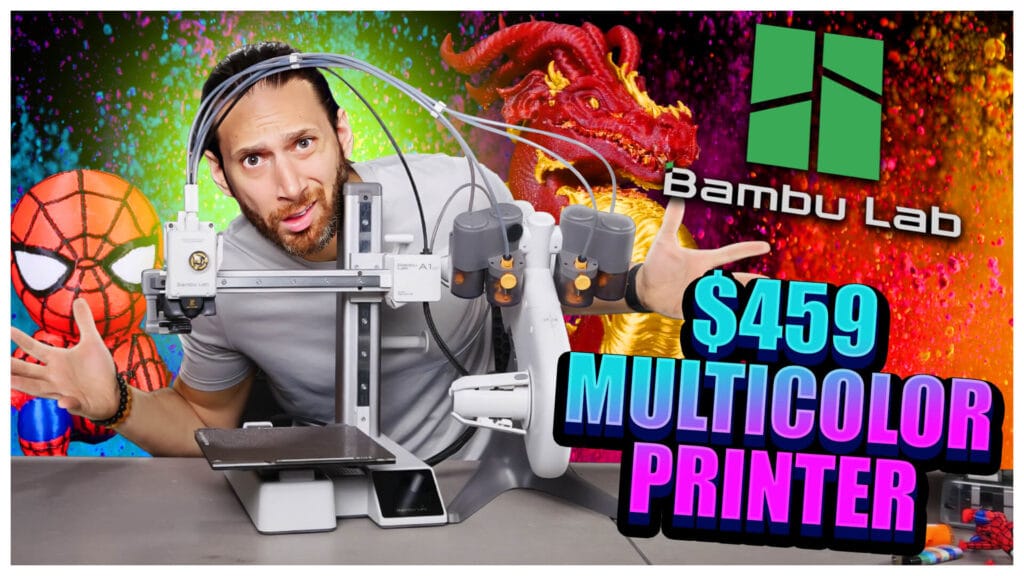
The P1S is the "buy it once" printer for a teen who's serious about making things. It's fully enclosed (much safer than open-frame printers), handles every common filament type, and prints fast enough that your teen can iterate on designs in an afternoon.
Key specs:
- Build volume: 256 × 256 × 256mm
- Speed: up to 500mm/s
- Enclosed: yes — heated chamber, HEPA filter, safer around younger siblings
- Filament: PLA, PETG, TPU, ABS, ASA, PA (nylon), PC
- AMS compatible: 4-color multi-material
- Price: ~$399 (base) / ~$549 (with AMS combo)
Why it's the teen pick: The enclosure is the big differentiator. It keeps hot parts contained, filters fumes (important for ABS and ASA), and reduces noise. A teen can run this in their bedroom with the door open and it's fine. The larger build volume means bigger figures, full-size gaming props, and batch prints of multiple smaller items.
What teens actually print: Anime figures (articulated and static), gaming controller stands, desk organizers, cosplay prop components, D&D miniatures, and — if they get into design — their own original creations via Tinkercad or Fusion 360.
The honest take: This is the printer Devon uses at Geeky Inc to print our collectible line. It's not a "kids" printer — it's a real production machine that happens to be easy enough for a motivated teen to master. If your teen is into anime, gaming, or maker culture, this is the one.
4. Creality Ender 3 V3 SE — Budget Pick for Ages 12+
If $400 is out of budget, the Ender 3 V3 SE ($218) is the classic fallback. It has auto bed leveling, auto filament loading, and a modern touchscreen — a huge upgrade from the Ender 3 models that required hours of manual calibration. Print quality is solid for PLA. The tradeoff: slower speeds, no AMS multi-color option, and the software ecosystem (Cura) has a steeper learning curve than Bambu Studio.
Best for: Families on a budget where the kid is mechanically curious and willing to learn. Not the best for "just make it work" expectations.
What Should They Print First?
The best first prints for kids are things they actually care about. Skip the test cubes and calibration cats — those are for adults. Start with:
- Articulated animals and dragons — print-in-place, no assembly, immediately fun. See our guide: Best Articulated 3D Prints: Dragons, Creatures & Fidget Toys
- Gaming props — Minecraft swords, Zelda shields, Pokémon figures. MakerWorld and Printables have thousands. See: 10 Cool 3D Prints from a Video Game
- Anime characters — chibi figures from Dragon Ball, Naruto, Demon Slayer. See: Best Anime STL Files for 3D Printing in 2026
Quick Comparison Table
Ready to Level Up?
Once your kid outgrows single-color printing, the multi-material world opens up. Check out our guide to printing multi-color anime figures with AMS — and for serious hardware comparisons, see Bambu Lab H2D vs H2C vs X2D: Multi-Material Printer Comparison 2026.
And if they're ready to see what printed collectibles look like as actual products: Meet Shiro and the Geeky Inc Blind Box Line.
Into 3D printing + anime + gaming? We cover it all. Join the Geeky Inc community →
Wave 1 — Kitsune Legends Vol. 1
Get notified when Wave 1 drops.
Limited run of articulated 3D printed figures. Anime × JRPG aesthetic. Blind box format. 20 chase units.
Join the waitlist →


Member discussion