


You want a 3D printer that works out of the box, doesn't require a mechanical engineering degree, and can actually print the things you're excited about — anime figures, gaming props, articulated collectibles, tabletop minis. Every "beginner" printer article recommends the same machines without telling you what you'll actually do with them. This one's different.
Here are the best beginner 3D printers in 2026, ranked by who they're actually for, what they're best at printing, and what you'll wish you knew before buying.
1. Bambu Lab A1 Mini — Best Overall for Beginners ($199)
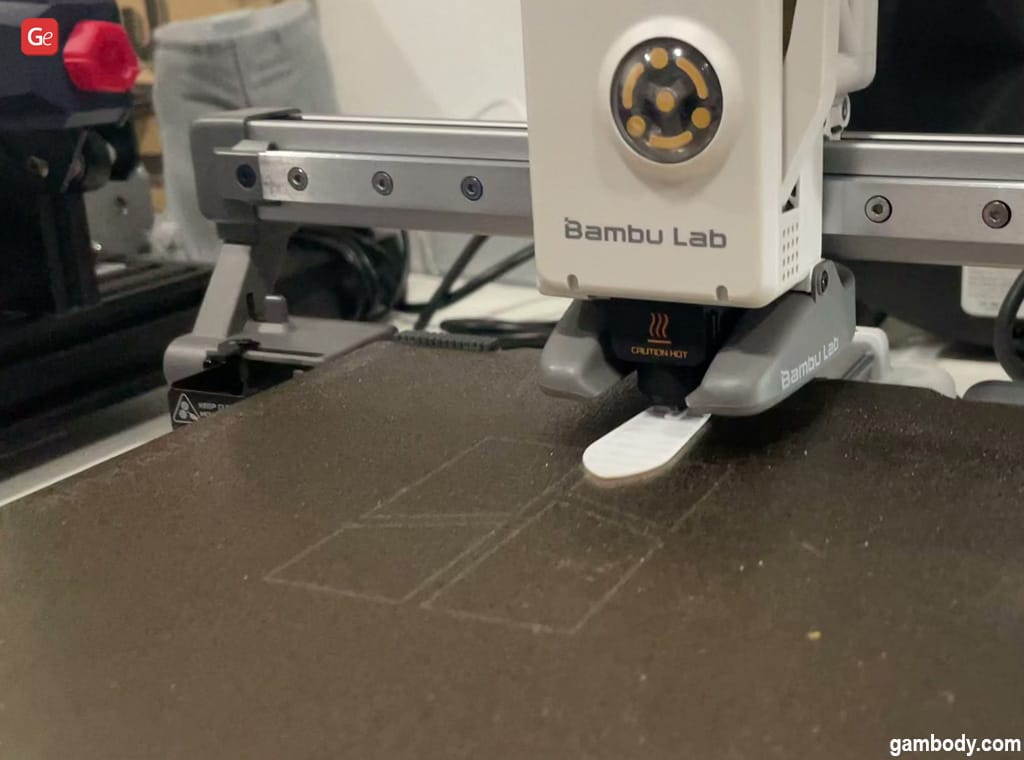
The A1 Mini is the easiest recommendation in 3D printing, full stop. Three years ago, this level of auto-calibration and print quality cost $1,000+. Now it's $199.
Why beginners love it:
- Full auto-calibration — bed leveling, vibration compensation, flow rate. No manual tuning.
- 15-minute setup — unbox, plug in, run calibration, print. That's it.
- 500mm/s speed — fast enough that you're not waiting 6 hours for a small figure
- MakerWorld integration — Bambu's model library has thousands of pre-sliced .3MF files. Download → print → done. No slicer knowledge needed for your first 50 prints.
- 49dB noise — quiet enough for an apartment or bedroom
What you'll print: Articulated dragons, anime chibi figures, Pokémon, gaming desk accessories, fidget toys, and small props. The 180mm³ build volume handles anything up to about 7 inches tall.
The upgrade path: Add an AMS Lite ($100) for 4-color multi-material printing — no painting required. A Pikachu in full color straight off the printer. See our multi-color anime figure AMS guide for what's possible.
Build volume: 180 × 180 × 180mm | Filament: PLA, PETG, TPU | Open frame
2. Bambu Lab A1 — Best Mid-Range for Beginners ($299)
The A1 is the A1 Mini's bigger sibling — same ease of use, but with a 256 × 256 × 256mm build volume. If you know you'll want to print larger figures (full-size anime statues, cosplay prop components, batch prints of multiple items), the $100 upgrade is worth it.
Same auto-calibration, same MakerWorld ecosystem, same simplicity. The A1 also supports AMS Lite for multi-color. If you're torn between the Mini and the A1, the question is simple: will you want to print things bigger than 7 inches? If yes, get the A1. If not, save the $100.
Build volume: 256 × 256 × 256mm | Filament: PLA, PETG, TPU | Open frame
3. Bambu Lab P1S — Best "Buy It Once" Beginner Printer ($399)
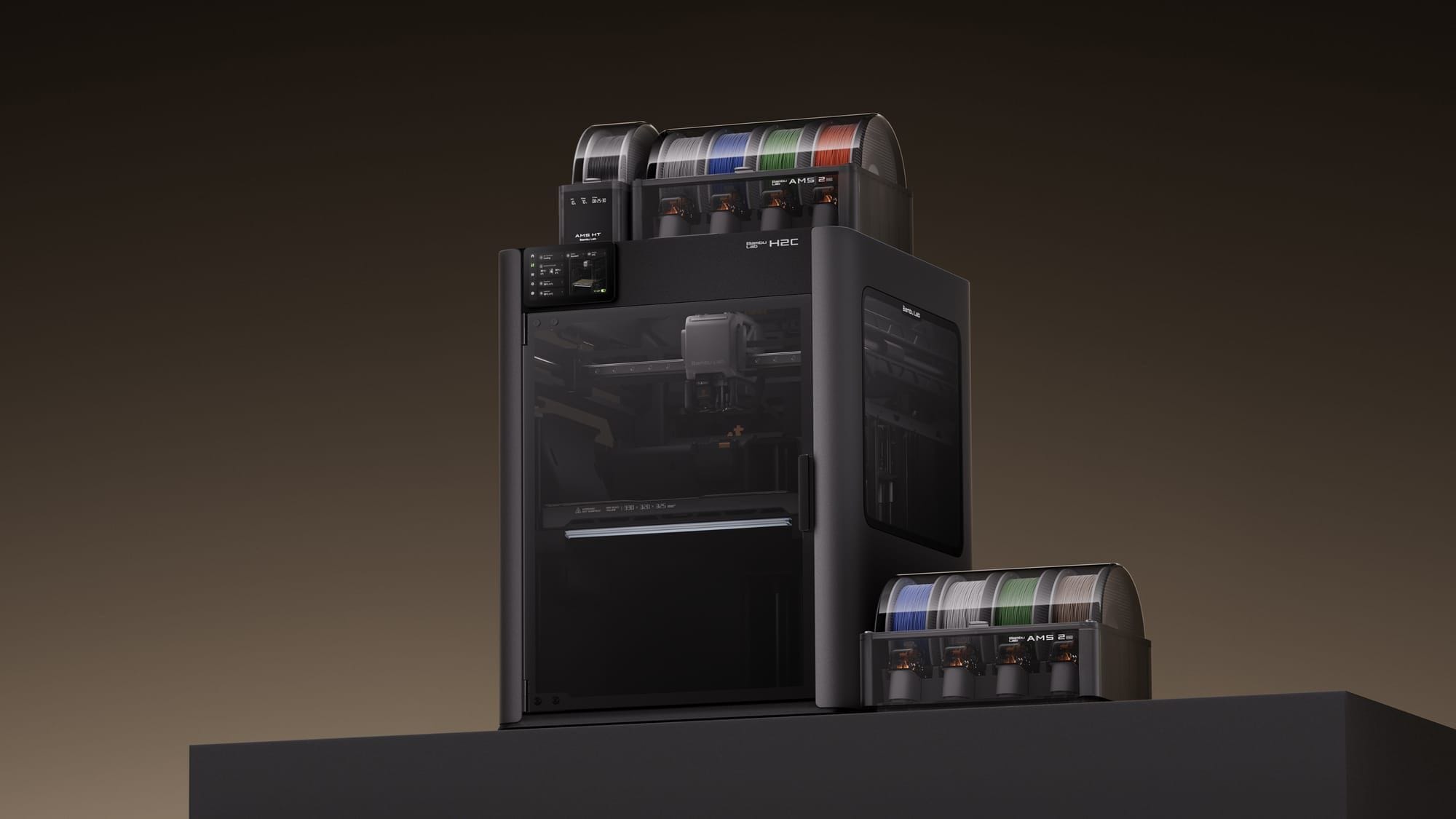
The P1S is not the cheapest option, but it's the one you won't outgrow. It's fully enclosed (safer, quieter, handles more materials), prints at the same 500mm/s as the A1 line, and can handle everything from basic PLA figures to engineering-grade nylon and polycarbonate.
Why pay more:
- Enclosed chamber — contains heat, filters fumes (HEPA), reduces noise. Critical if you're printing in a living space.
- Material versatility — PLA, PETG, TPU, ABS, ASA, PA, PC. You won't need a second printer when you want to try stronger materials.
- AMS full support — 4 colors standard, chain up to 16 with multiple AMS units
- Production-grade reliability — this is what Geeky Inc uses to print our collectible line. It runs all day without babysitting.
What you'll print: Everything. Articulated anime figures, large display pieces, gaming controller stands, multi-color characters, cosplay armor sections, D&D terrain, and functional parts. See our Best Articulated 3D Prints guide for immediate inspiration.
Build volume: 256 × 256 × 256mm | Filament: PLA through PC | Fully enclosed
4. Creality Ender 3 V3 SE — Best Budget Beginner Printer ($218)
The Ender 3 line has been the default "first printer" recommendation for years, and the V3 SE is the most beginner-friendly version yet. Auto bed leveling, auto filament loading, touchscreen interface, and PEI spring steel build plate (prints pop off when cool — no scraping).
Why consider it:
- Price — $218 gets you a capable FDM printer with modern features
- Community — the Ender 3 has the largest user community in 3D printing. Every problem has a YouTube fix.
- Open ecosystem — Cura slicer, any filament brand, fully modifiable
The tradeoff: Slower than Bambu (250mm/s vs 500mm/s). No AMS multi-color option. Cura slicer has a steeper learning curve than Bambu Studio. Print quality requires more manual tuning to match Bambu's auto-calibrated output. If your priority is "it just works," the A1 Mini at $199 is actually cheaper and easier.
Best for: Tinkerers who enjoy the learning process. If you want to understand how 3D printers work (not just use one), the Ender's open ecosystem is a better teacher.
Build volume: 220 × 220 × 250mm | Filament: PLA, PETG, TPU | Open frame
5. Prusa MK4S — Best Open-Source Beginner Printer ($599)
If you value open-source software, repairability, and a company that publishes firmware source code, the Prusa MK4S is the premium alternative to Bambu's closed ecosystem. It's more expensive, slower, and requires a bit more manual setup — but it's built to last 10 years and every part is replaceable.
Why some beginners prefer it:
- Open source — PrusaSlicer is the most widely supported slicer in the industry
- Build quality — over-engineered hardware that rarely fails
- Upgrade path — add the MMU3 for multi-material, or eventually graduate to the Prusa XL tool-changer (see our Prusa XL vs Bambu AMS comparison)
- Ethics — Prusa is transparent about sourcing, firmware, and business practices
The tradeoff: $599 is steep for a first printer. Slower than Bambu. PrusaSlicer's learning curve is steeper than Bambu Studio's simple mode. If you just want to print anime figures and don't care about open source, the P1S does more for less money.
Build volume: 250 × 210 × 220mm | Filament: PLA through PC | Open frame (enclosure sold separately)
Quick Comparison Table
What to Print After Setup
Don't waste your first print on a calibration cube. Print something you're actually excited about:
- Best Articulated 3D Prints: Dragons, Creatures & Fidget Toys — print-in-place, no assembly
- 10 Cool 3D Prints from a Video Game — gaming props and characters
- Best Anime STL Files for 3D Printing in 2026 — where to find printable anime models
- 3D Printed Board Game Inserts — functional prints that make game night better
And when you're ready for multi-color: Bambu Lab H2D vs H2C vs X2D Comparison 2026.
New to 3D printing and want guides, STL picks, and collectible drops for the anime and gaming niche? Join the Geeky Inc community →
Wave 1 — Kitsune Legends Vol. 1
Get notified when Wave 1 drops.
Limited run of articulated 3D printed figures. Anime × JRPG aesthetic. Blind box format. 20 chase units.
Join the waitlist →


Member discussion