


AMS 2 Pro vs the original AMS — the short version: the AMS 2 Pro adds active humidity control, higher-reliability feeding, and up to 25-color daisy-chaining, and it works with the P1S, X1C, X2D and H2D. If you print multi-color figures, it is the upgrade to get. Full breakdown below.
The Bambu AMS 2 Pro is the multi-color upgrade that quietly reset the bar in 2026. If you're running a P1S, X1C, or one of the new X2D / H2D machines and you're still on the original AMS, you're leaving color count, filament reliability, and waste reduction on the table. This is the deep dive: what's different, how to set it up, the filament profiles that actually work, and the 25-color math nobody at Bambu Lab talks about plainly.
Whether you're printing articulated anime figures, gaming props, or chibi characters with 6+ colors per model, the AMS 2 Pro is the accessory that determines whether your prints come out crisp — or end up in the failed-print bin with a 30-gram purge tower.
What Makes the AMS 2 Pro Different from the Original AMS
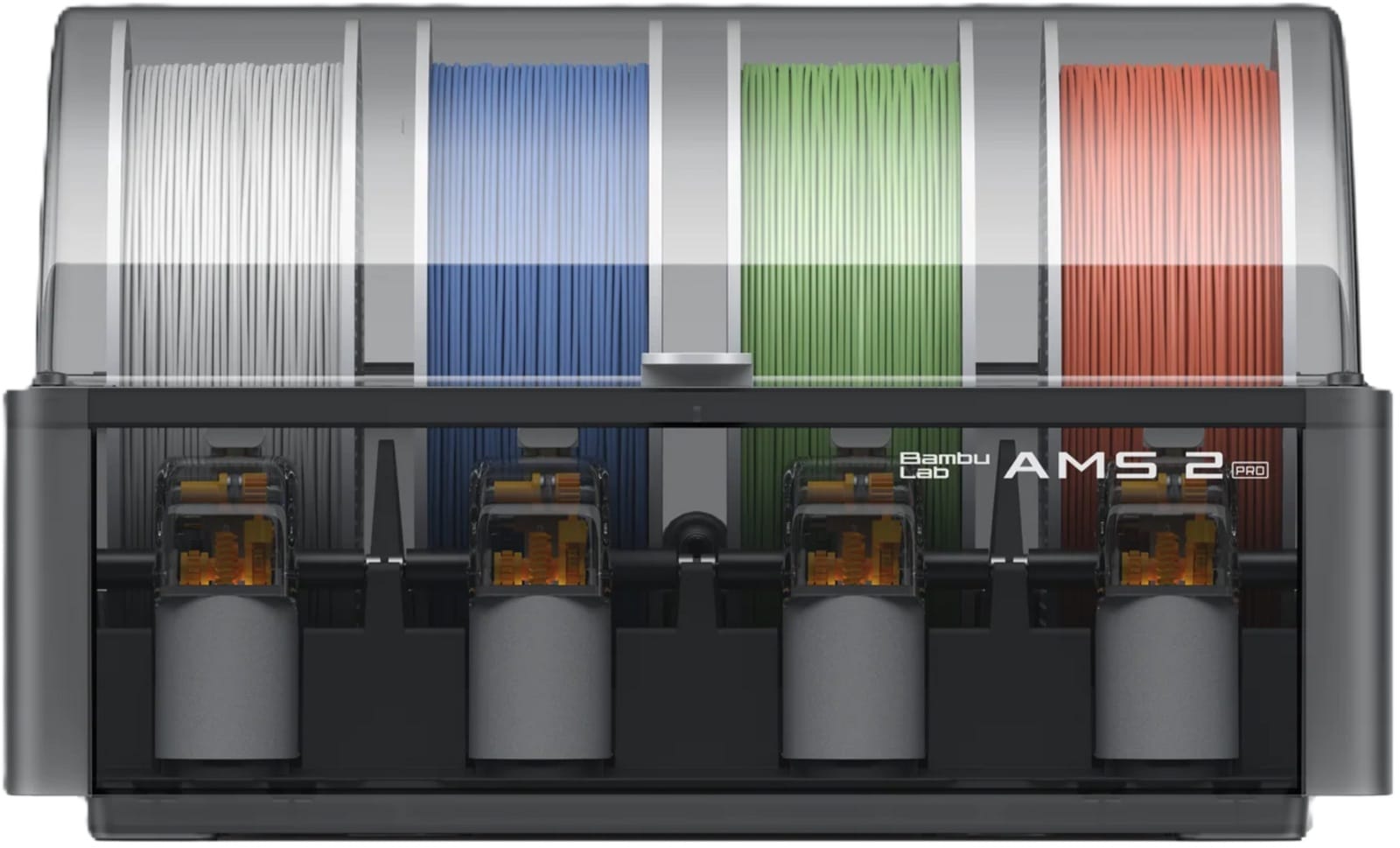
On the surface, the AMS 2 Pro looks similar to the original AMS — same 4-spool design, same external footprint, same sliding-tray UX. The differences are all internal:
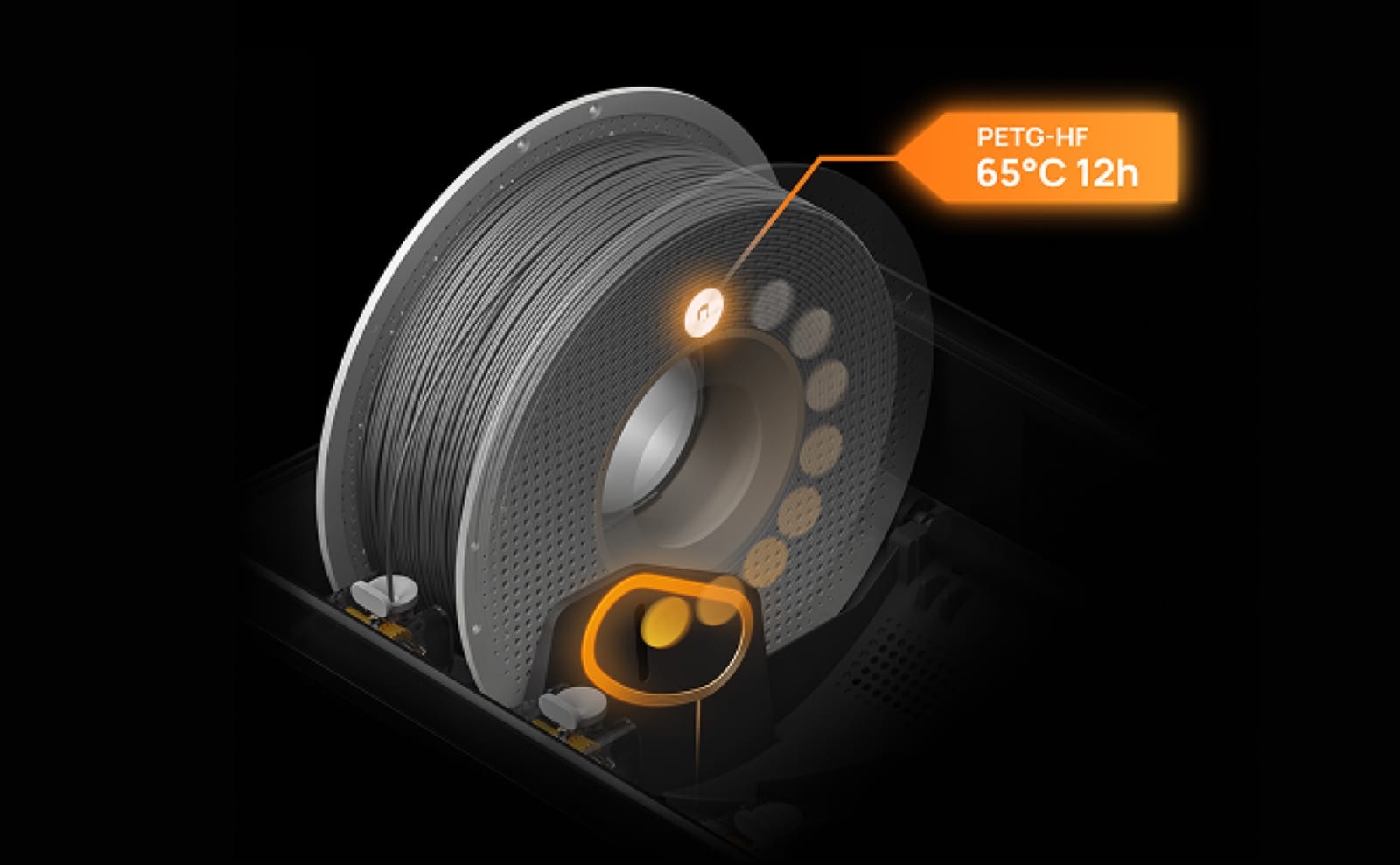
- Active humidity control — built-in dehumidifier with continuous filament drying, not just a desiccant tray. Critical for PLA-CF, PETG, and TPU storage.
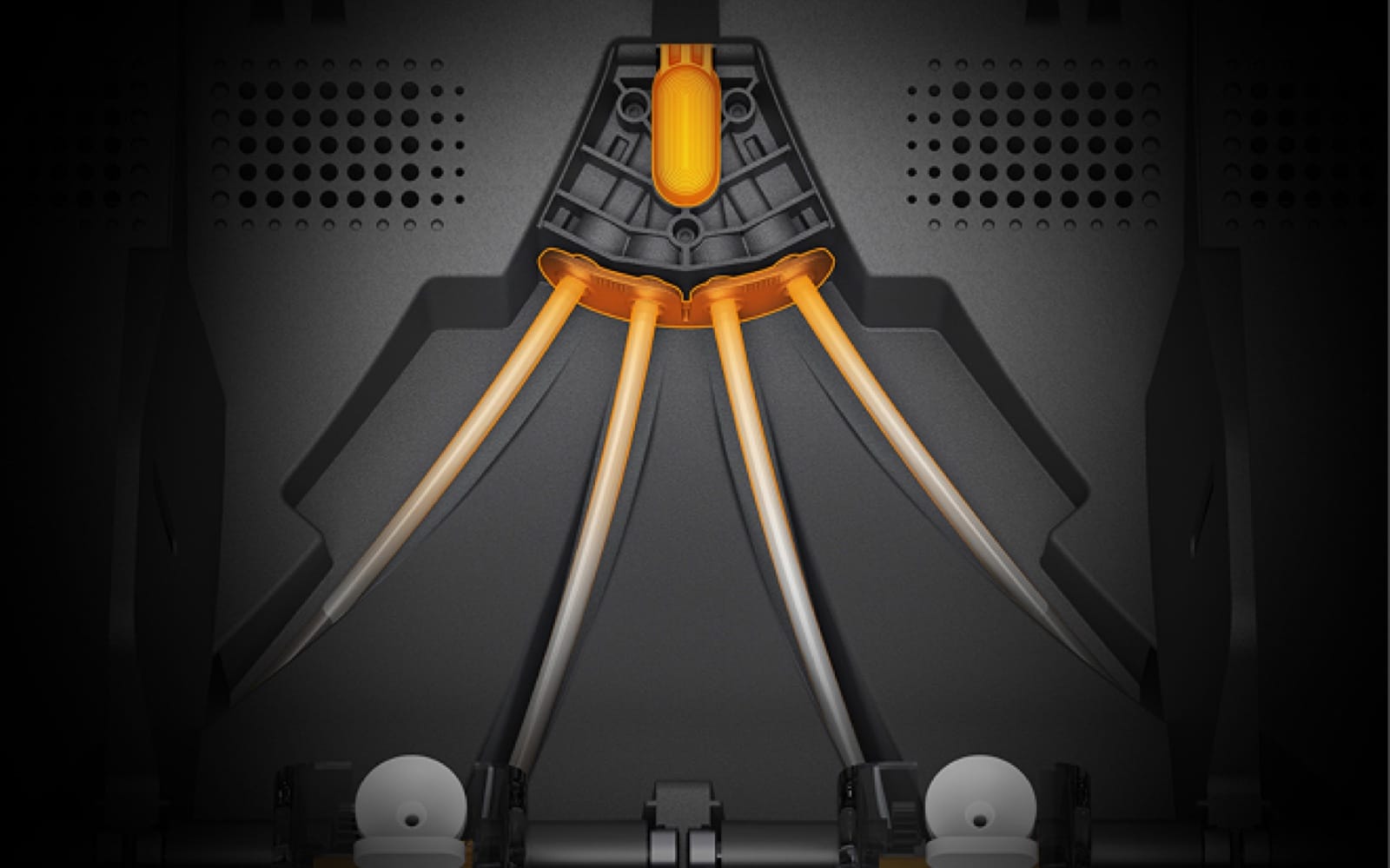
- Improved filament path geometry — fewer jam points, better feedback to the printer when a spool runs out mid-print.
- Daisy-chain support up to 4 units — chain four AMS 2 Pros for 16 spools, then add up to 8 AMS HT single-spool units for high-temp materials. Bambu's official ceiling is 24 filaments per printer in the maxed-out configuration.
- Compatibility with all current Bambu printers — works with P1S, X1C, X2D, H2D, and H2C. The original AMS works with most but not the X2D out of the box.
- Faster swap times — measurable but small (~1.5s faster per swap on average), which compounds significantly on multi-color prints with hundreds of swaps.
The big upgrade, especially for anime and gaming figure printers, is the humidity control. Wet filament ruins multi-color prints in subtle ways — stringing between color zones, weak inter-layer bonding when the Vortek or AMS swaps, and tiny popping/zipping artifacts on smooth surfaces. The AMS 2 Pro keeps your filament dry continuously without you babysitting silica packets.
Which Bambu Printers Support the AMS 2 Pro
Compatibility is broader than the original AMS but worth checking before you buy:
- X2D (April 2026) — fully supported, ships with AMS 2 Pro option in the $899 Combo
- H2D (March 2025) — fully supported via firmware update (most H2D units came with the original AMS, but AMS 2 Pro is now the recommended pairing)
- H2C (January 2026) — supported as a complement to the Vortek hotend system, useful for managing extended filament loads beyond the Vortek's 7 hotends
- X1C / X1E — supported via firmware update on the X1 series (note: X1E in industrial environments may need additional certification)
- P1S / P1P — supported with the new AMS hub adapter (sold separately, ~$80)
- A1 / A1 Mini — uses the AMS Lite, not the AMS 2 Pro. Different product line.
If you're upgrading from a P1S, the AMS 2 Pro plus the hub adapter is the sweet-spot upgrade — you stay in the same machine, double your color capacity, and get the humidity benefits without buying a new printer.
AMS 2 Pro Setup Walkthrough (First 30 Minutes)
Here's the sequence that actually works on first attempt — Bambu's quickstart guide skips a few key steps:
- Update printer firmware first. Before plugging the AMS 2 Pro in, update the printer firmware via Bambu Studio or the Handy app. Out-of-date firmware causes the AMS to be detected but not functional — and it's the #1 cause of "AMS connected but Bambu Studio doesn't see it" forum threads.
- Power down before connecting. Plug in AMS 2 Pro to the printer's AMS port with the printer fully off. Hot-plugging works on the new firmware but is the second-most-common cause of detection failures.
- Boot, then calibrate. Power on. The AMS 2 Pro will run a self-test — listen for the audible cycle through all 4 slots. If it stops short, run the manual calibration in Bambu Studio's "AMS Settings" panel.
- Load filament with the printer hot. The AMS 2 Pro feeds cold filament forward, but the printer needs to be at temperature for the load step to complete. Heat the hotend first, then trigger Load.
- Start the humidity cycle. The active dehumidifier needs to run for at least 4 hours before you trust filament for printing. New filament is usually dry; filament that's been on a shelf for weeks needs the cycle.
- Print the calibration multi-color cube. Bambu Studio includes a 4-color calibration cube — print it before any production model. Tells you if any spool is mis-mapped or if a feed line is jammed.
Total time, start to first successful multi-color print: about 90 minutes including the humidity cycle.
Building a 3D printing workshop? Subscribe to Geeky Inc for printer comparisons, anime and gaming STL drops, and pro tips delivered weekly.
Filament Profiles That Actually Work in the AMS 2 Pro
Bambu's default Studio profiles are fine for Bambu-brand filament. Third-party brands (Polymaker, eSun, SUNLU, etc.) need adjustments to print cleanly through the AMS 2 Pro. Here's what works in practice for anime figure printing:
PLA (the workhorse)
For Bambu Matte and Bambu Basic PLA, defaults work. For third-party PLA, drop the printing temp by 5°C and reduce retraction by 0.2mm. Enable the "AMS prefers PLA" filament setting in Studio if your default queue mixes PLA and PETG — keeps the swap profile cleaner.
PETG (clear / translucent figure parts)
PETG is finicky in any AMS. In the AMS 2 Pro: set retraction to 1.6mm (default 1.0 is too low), bump nozzle temp to 245°C, and disable "long retracts" in Studio. PETG used for translucent eyes, glass-effect armor, or crystal weapons benefits hugely from the humidity control.
TPU 95A / 85A (flexible parts, articulation joints)
TPU still works best fed direct (not through any AMS), but the AMS 2 Pro handles 95A passably for short prints. Use the AMS HT (high-temperature variant) if available — it's specifically designed for flexible filament feeding.
PLA-CF / PLA-Glow
Specialty PLA blends print cleanly through the AMS 2 Pro. The carbon-fiber fill prefers a hardened nozzle (0.4mm steel), and glow-in-the-dark filament is fine but reduces inter-layer adhesion slightly. For glow-effect anime figures (think Cyberpunk-style illuminated armor), this is the magic combo.
The Color Math: Scaling AMS 2 Pro to More Colors
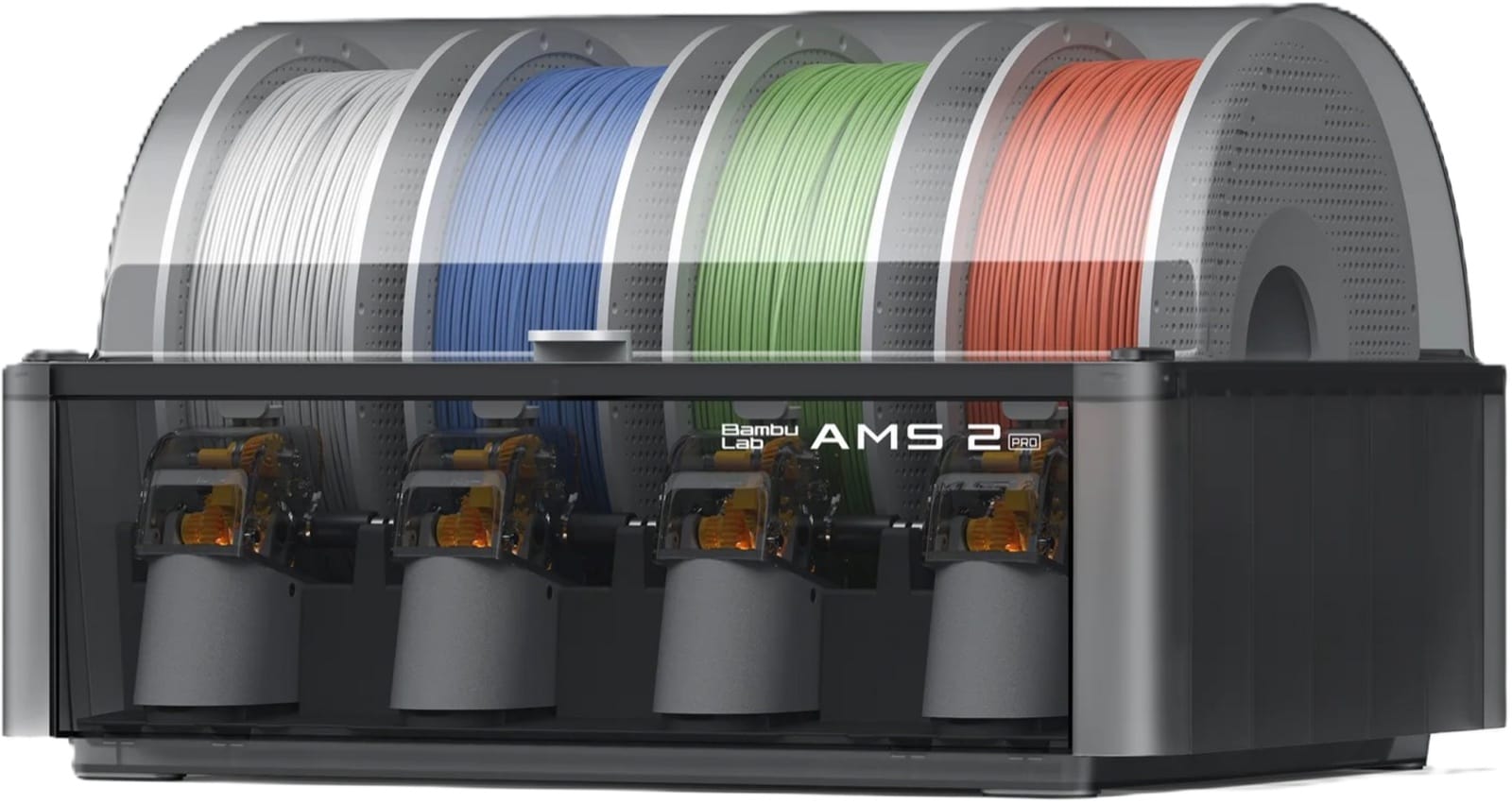
Bambu's official ceiling for a single printer is 4 AMS 2 Pro units chained together, optionally combined with up to 8 AMS HT single-spool units for high-temperature materials, supporting up to 24 filaments total. The chain length has shifted with firmware updates over 2025–2026, so verify the supported configuration in current Bambu Studio documentation before buying multiple units. Realistic configurations:
- 1 AMS 2 Pro = 4 spools / 4 colors
- 2 AMS 2 Pros daisy-chained = 8 spools / 8 colors
- 3 AMS 2 Pros = 12 spools
- 4 AMS 2 Pros (max chain) = 16 spools
- 4 AMS 2 Pros + AMS HT units = up to 24 filaments total when fully maxed (the AMS HT adds single-spool slots dedicated to high-temp materials like PA, PC, ABS)
In practice, very few hobbyist or small-batch creators run more than 2 AMS 2 Pros. The four-unit max is overkill unless you're doing commercial-scale figure production with rotating multi-color queues. For Geeky Inc-style anime figure printing — say, a 6-color chibi or an 8-color articulated dragon — two AMS 2 Pros is the sweet spot. You get 8 colors with humidity-controlled storage and you don't have to swap spools mid-week.
The hidden cost: each AMS 2 Pro is roughly $200–250 retail. Four daisy-chained units = $800–1,000 in accessories alone, before any AMS HT units. Match the unit count to your actual color demand, not the marketing number.
Common Pitfalls and Fixes
- "AMS not detected" after firmware update — Power cycle the printer (not just the AMS). Bambu's firmware sometimes loses the connection until full reboot.
- Excessive purge waste on multi-color prints — Reduce the "purge volume" parameter in Bambu Studio's filament settings. Default is conservative; for visually similar colors, you can drop it 30-40%.
- Spool jams mid-print — Almost always wet filament or a sharp bend in the feed tube. AMS 2 Pro humidity control fixes the first; check your tube routing for the second.
- Color crossover bleed — When color #2 prints with traces of color #1. Increase purge volume slightly, or print a small wipe tower in a hidden area of the model.
- RFID tag confusion — Bambu filament with NFC tags sometimes mis-reports as a different material. Manually override in Studio if the printer refuses to load.
Add an AMS 2 Pro vs. Upgrade Your Printer Entirely
This is where most buyers conflate two different decisions. The AMS 2 Pro is an accessory — a filament-management front-end that feeds spools to your existing printer's hotend. The H2C, by contrast, is an entire printer that uses a fundamentally different multi-color architecture (Vortek hotend-switching with up to 7 dedicated hotends, instead of one nozzle purging between colors). The H2C can also use an AMS 2 Pro on its front end to manage the filaments feeding into the Vortek system. They're complementary products at different price tiers, not direct competitors.
The actual decision someone weighing "more colors" faces is: add an accessory to my existing printer, or upgrade to a different printer altogether? That comparison breaks down clearly:
Add an AMS 2 Pro (or chain a second one) if:
- You're happy with your current printer's quality, build volume, and reliability
- You need 4-8 colors per model and your current AMS workflow is the bottleneck
- Total cost: $200-250 per unit, plus the ~$80 hub adapter on P1S / P1P. Two units chained gets you to 8 colors for under $600 in accessories.
Upgrade to an H2C (whole printer) if:
- You print 8+ colors per model routinely, and AMS purge waste is hurting your unit economics
- You also need the H2C's larger build volume (350 × 320 × 325 mm) — relevant for oversized articulated figures or batch-printing
- You're producing commercial-tier multi-color figures where Vortek's hotend-switching architecture pays back its $2,499+ entry price in filament savings within a few hundred prints
- Note: even an H2C still benefits from an AMS 2 Pro on the front end for managing extended filament loads beyond the Vortek's 7 hotends — these are stacked, not either/or
For most Geeky Inc-style hobbyist and small-batch creators, adding a second AMS 2 Pro to an existing P1S, X1C, or X2D is the right move. The H2C is a printer for creators whose color count or build volume genuinely exceeds what 2× AMS 2 Pro on a smaller printer can deliver.
For the deeper printer-versus-printer comparison (X2D, H2D, and H2C side by side), see our Bambu X2D vs H2D vs H2C breakdown — that piece covers which printer to buy; this one covers how to maximize the printer you already own.
Where to Buy and Final Verdict
Bambu AMS 2 Pro is sold direct on bambulab.com and through Amazon. Amazon listings tend to ship faster but watch the seller — only buy from Bambu Lab's official store or major resellers (Matterhackers, Printedsolid). Counterfeits exist; they're rare but they're out there.
Verdict: The AMS 2 Pro is the most impactful single accessory upgrade you can make to a P1S, X1C, or H2D in 2026. Active humidity control alone justifies the price for any creator printing PLA at scale; the daisy-chain and filament-path improvements are bonus. If you're producing multi-color anime, gaming, or character figures and you're still on the original AMS, stop reading and go upgrade. The math works out within 2-3 months of consistent printing.
Related 3D Printing Resources on Geeky Inc
- Bambu X2D vs H2D vs H2C: Specs, Price & Best Pick (2026)
- Multi-Color 3D Printing Anime Figures: The AMS Guide for P1S & X1C (2026)
- The Complete Guide to 3D Printing Anime, Gaming & Folklore Figures (2026)
- Best Anime STL Files for 3D Printing in 2026
Into 3D printing + anime + gaming? We cover it all — and we're shipping printed collectibles you can buy. Subscribe to Geeky Inc for the next drop, weekly printer tips, and figure-printing guides every Tuesday.
Related reading: If you're weighing the AMS 2 Pro against Bambu's newer Vortek hotend swap system on the H2C, our full Bambu Lab H2D vs H2C vs X2D: Full Comparison (2026).
Wave 1 — Kitsune Legends Vol. 1
Wave 1 is live.
Four hand-printed fox-spirits. One sealed box. You don't choose your kitsune — you summon it. Limited run, no restock.
Summon your Kitsune on Etsy →


Member discussion